QAD QXtend Outbound
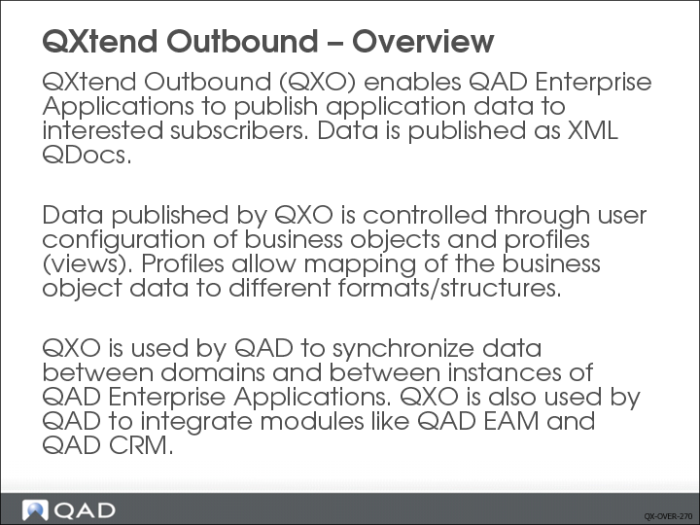
QXtend Outbound (QXO) provides a flexible, generic mechanism for publishing data from QAD Enterprise Applications (QAD EA). It takes many applications to run an enterprise, and the ability to share data between applications quickly and efficiently is critical.
QXO publishes QAD QA data as changes occur. QXO enables a change to be published to one or many subscribers. In this way as data changes the other applications in the enterprise are sent those changes automatically.
QXO provides tools that enable the user to control the data published by QXO in order to define the content of the data sent to subscribing applications. Business objects hold the raw data published/extracted from QAD EA. Profiles in QXO provide a user-defined view of the business object and allow the user to select which data from the business object to include. Profiles also allow the XML element names in the QDocs to be changed to meet the requirements of the external application. Profiles are used to change the format of the outbound QDoc into the inbound QDoc format when synchronizing data between domains or instances of QAD EA.
QXtend is often used to synchronize master data maintained in a master domain—this process is driven by QXO. QXO tracks the changes to data in the master domain and then controls the process of updating each of the subscriber domains or QAD EA instances. The same principles are also used to ensure that changes in data are reflected in the QAD EAM and QAD CRM solutions. The master instance is the source of the data for business objects, and profiles are used to map the data to the formats required by other domains and QAD modules. The data is then delivered to the individual domains or instances using the subscription mechanism in QXO.
QXO provides a flexible engine for communicating changes to application data across the business enterprise. The continual changes to QAD EA data are listened to by QXtend and then published to interested applications in an appropriate format and structure. The data changes that are listened to in the QAD EA by QXO are controlled from within QXtend.
QXO supports two mechanisms for delivering messages to interested subscribers: web service call or file drop. The two major delivery methods are configurable per subscriber.
Web service delivery provides the capability to call QXI to chain QXI and QXO together—this is how data synchronization is achieved with QXtend. Web service delivery also provides a way to chain processes together within QAD EA. When calling the QXI web service, much of the configuration for the web service call is hidden from the user; only information required to successfully process in QXI is required. If calling a service other than QXI, more configuration is required as well as knowledge of SOAP messaging.
One of the fundamental drivers for QXtend is to provide ways for QAD EA data to be integrated with standard middleware/EAI products. All leading middleware solutions provide mechanisms to get data into the middleware environment, including http and file directory polling. The web service support and file drop mechanisms enable QXO data to be integrated into middleware/EAI solutions and, as such, provide QAD applications with an open architecture.
The QXO engine has also been used by QAD to drive the synchronization of master data (items, customers, suppliers, BOMs, and so on) between domains and between instances of QAD EA. Data synchronization used to be performed by the DataSync and Q/Linq products but since the release of QAD Enterprise Applications 2008 both of these products have been deprecated and replaced with QXtend.
QXO is also critical component in the integration of modules such as QAD EAM and QAD CRM with the core modules of QAD Enterprise Applications.
Besides, QXO is also used to publish business event messages from QAD EA to QAD Alerts and QAD BPM (Business Process Management). Taking QAD BPM for example, a business event message from QAD EA may trigger the creation of a business process instance.
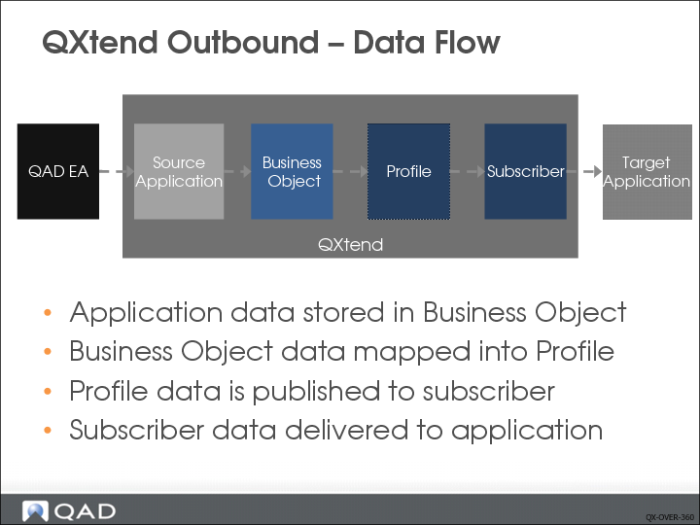
The diagram above shows how data moves from the data source (source application) through QXO to the final destination (subscribers).
Data from the source application is first moved to a business object, which is a subset of the data stored in the source application. Business objects can be user-defined or fixed (defined by source application). Once the data has been stored as a business object in QXO, it is mapped to the profiles (views) that have been defined against it. The data in the profiles is then delivered to the subscribers that have registered an interest in the profile data.
This flow of data is driven by services that move the data step to step in QXO. The fundamental process in QXO is to make data from one or more source applications available to any other application in the enterprise without having to tightly couple the two applications.
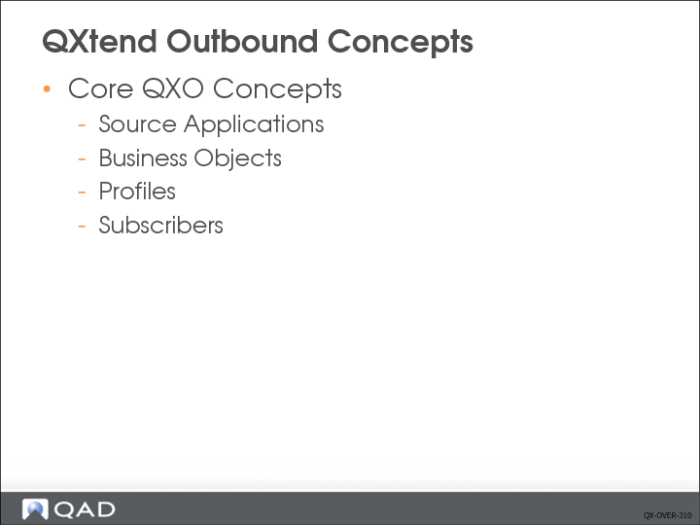
Several core concepts form the foundation of QXO; a good understanding of these is essential:
• Source applications
• Business objects
• Profiles
• Subscribers
Source Applications
QXO provides a configurable, flexible, and non-invasive mechanism to distribute data from any instance of a QAD Enterprise Application to other applications in the business enterprise, as and when business events occur.
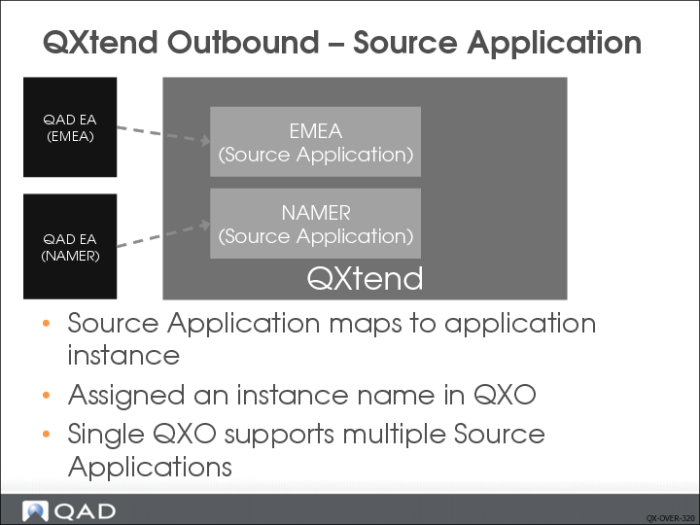
The source application in QXO is the source for the business data that is distributed. A single installation/instance of any QAD Enterprise Application maps to a single source application in QXO. The source application is assigned a name that is used to identify it. The source application in QXO is analogous to the receiver in QXI as both are used to identify an instance of QAD EA.
A single instance of QXtend supports multiple instances of QAD EA, including modules such as QAD EAM and QAD CRM that are additional data sources to core QAD EA. The source application is the connection to a single QAD EA instance, QXO allows the creation of multiple source applications, and each points to a different QAD EA instance. Configuring multiple source applications enables QXO to support many instances of QAD EA.
One advantage of having a single instance of QXtend support multiple QAD EA instances is that all messages/data are flowing through a single point; this makes monitoring and tracking the data flowing through the organization much simpler as it is all tracked in a central location.
Business Objects
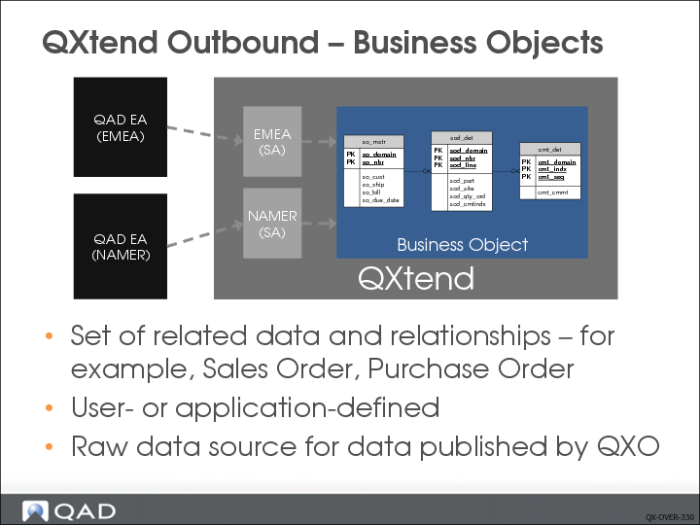
The business object is a way to get data from any QAD application into QXtend. A business object defines the data components required for a complete view of a data entity in any QAD Enterprise Application.
For example, a sales order has a header, some lines, comments and tax information, plus other data components. A sales order business object must encompass all these data components. However, it is not enough to simply list the components—we also must define the relationship between components.
For example, an order can have zero or more lines; the link between order and line is by domain and order number. A complete business object defines all data components, the relationships between the data components, and the fields/attributes of each data component.
QXO has two types of business object:
• User-defined: Allows the user to build a business object from tables and fields in any QAD Enterprise Application that has a Progress database. The user selects the tables that are part of the object and defines the joins between each of the tables that have been added. The user then selects the fields from each of the tables that must be part of the business object. The definition of the business object drives the extraction of data from a source application instance.
• Application-defined: Allows a QAD application to define exactly what data is published to QXtend. This is used primarily for non-Progress based applications, Enterprise Financials, or complex business objects that cannot easily be mapped directly to the database. Application-defined business objects are imported into QXO via a schema definition that describes the data components, fields, and relationships. This type of business object cannot be modified by a QXO user. The other major difference is that QXtend does not extract the data for these types of business objects; instead the QAD application publishes the data to QXO.
QXO stores raw data that matches the business object definition for each instance of it in the source application that has been processed by QXO. This data controls the other QXO processes that publish and send data to subscribers. When using user-defined business objects you should ensure that the definition only contains data that is required to minimize the amount of instance data stored in QXO.
Profiles
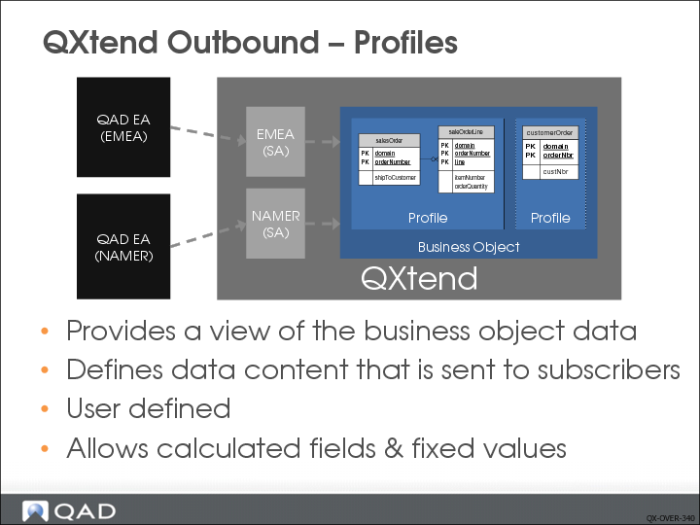
The business object contains the base set of data required by the subscribers. However, not all subscribers need all of the data in the business object: the structure of the data may need to be different for each interested subscriber. QXO uses profiles to provide data to the subscriber that meets the subscribers’ data, format, and structure requirements.
Profiles allow the user to map data from the business object into a different view. Typically profiles contain a subset of the business data object data that can be enriched with calculated fields and fixed values. The user can change the name of the XML nodes published to the profile, as well as take child tables and publish them as part of the parent table. The mapping capabilities provided by the profiles cover most scenarios; however, it is not a complete mapping tool and some scenarios cannot be mapped by a profile. In these scenarios, mapping is performed by a transformation tool as a separate step.
QXO allows many profiles to be created against a business object; this enables a single business object to publish data in the different formats required by subscribing applications. The QXO interface allows users to create and modify profiles against any business object without the need for coding. Coding is only mandated if complex business logic is required to calculate the value of any field in the profile; these fields are called calculated fields and execute Progress code to calculate the field value.
To summarize, profiles map business object data into the format required by the application that is going to subscribe to the data.
Subscribers
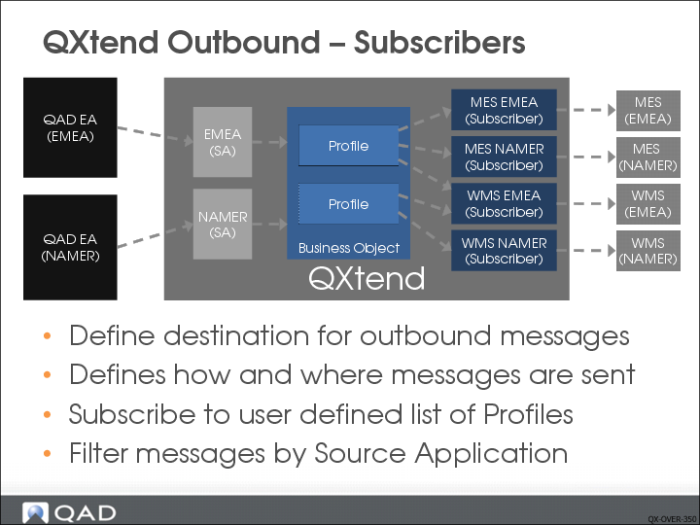
QXO provides a configuration toolset to facilitate the delivery of QAD EA data to other QAD or non-QAD applications. A subscriber in QXO is a named destination point for messages: it identifies the target (destination) application in QXO, rather like the source application identifies the data source. A subscriber is created for each target application instance that wants to receive data from QXO.
The subscriber configuration describes how and where the data is sent. QXO supports two delivery options:
• File Drop: Allows the user to specify a directory into which the messages that are subscribed to are delivered. The directory must exist on the server where the QXO processes are running.
• Web Service and QXI Web Service: Allows data from QXtend to be used to invoke a Web Service call by passing SOAP XML over HTTP to the target application. The easiest Web Service destination to configure is QXI; however, you can send messages to other Web Services or HTTP listeners.
• QAD Alerts or QAD BPM. The two options are used in the integration between QAD EA and QAD Alerts or QAD BPM. QXtend calls Web Services provided by QAD Alerts or QAD BPM and publishes business event messages to them.
The subscriber setup also defines the list of profiles to be published to that particular subscriber. In this way the subscriber can select the data that it is interested in and the format of the data it receives. A subscriber must subscribe to a least one profile, but it can subscribe to many if required.
The subscriber can select the source applications it receives data from to ensure it only gets data from the instance it is integrating with. Subscribers also can restrict the data subscribed to by source domain and source entity. This ability provides a highly configurable subscription mechanism for application integration.
Data Flow
The steps to move data from a QAD Enterprise Application to a subscribing application are as follows:
• Extract: Changes to data in a QAD Enterprise Application are extracted or published for a source application, the data matches the structure defined in the QXO business object definition, and the extracted data is stored in QXO as an instance of the business object.
• Publish: The stored business object instance data is mapped into the profiles that have been defined against the business object. If there are any calculated fields or fixed values defined against the profile, these are calculated/assigned as part of this step.
• Deliver: The profile messages generated in the previous step are passed to each subscriber that has registered an interest in the profile message. The message is delivered to the target application using the details configured on the subscriber.
Data Extraction mode is the most common mode for application data changes to be extracted from source application and delivered to subscribers. QXtend provides another mode called Direct Data Publish (DDP) mode. In DDP mode, QXtend does not extract data from source application. When an event occurs, the source application packages relevant business object data and directly publish the data to QXtend by calling an API.
Exercise: QXO Concepts
The following list shows a number of key terms and concepts used in QXO. In each statement below, fill in the correct term from the list. Some terms may be used more than once
subscriber | business object |
source application | extract |
publish | Direct Data Publish (DDP) |
interested subscribers | XML QDocs |
Profiles | Deliver |
1 QXtend Outbound (QXO) enables QAD Enterprise Applications to publish application data to ______.
2 Data is published as ______.
3 Data from the ______ is first moved to a ______, which is a subset of the data stored in the source application.
4 QXO uses ______ to provide data to the subscriber that meets the subscribers’ data, format, and structure requirements.
5 A ______ in QXO is a named destination point for messages.
6 The steps to move data from a QAD Enterprise Application to a subscribing application are 1) ______; 2) ______; and 3) ______.
7 For ______, data is not extracted from the source application by QXO.