Licensing
Overview
QAD QXtend is an integration product that supports both the integration of internal QAD modules, and the integration of QAD applications to legacy systems and third-party applications. QXtend essentially aims to provide an integration backbone across the entire QAD Enterprise Applications suite that is used universally for integration.
However, when QXtend is used to integrate with external third-party applications, it simplifies the implementation and provides a QAD-approved standard approach to integration implementation, management, and maintenance. Using QXtend adds value to the business and facilitates the automation of business processes to drive operating efficiency. Therefore QXtend supports two modes of operation:
• Free: The free mode allows QAD and QAD partners to use the capabilities of QXtend to integrate modules and applications without the need of any special license codes. The free mode license is installed as default with any QXtend installation and no license code is required to be entered after installation.
• Licensed: The licensed model requires the integration to third-party applications and requires QXtend to be licensed for this type of integration. QXtend prevents transactions from being processed with third-party applications unless a license code has been entered after the installation of QXtend.
In order for QXtend to communicate with other products, you must submit a license code issued by QAD.
QXtend licensing is based on a hierarchy of the base module, receivers, and agents.
The base module requires a number of receivers and agents. Each receiver is coupled with an additional agent. You can purchase additional agents without receivers. When you purchase a receiver you get an additional agent bundled with the receiver.
The base module becomes available when you enter a valid license. The license encodes how many receivers and agents are available for each QXtend installation, the type of license, and a unique code indicating the organization who owns the license.
Receivers and Agents will be introduced soon.
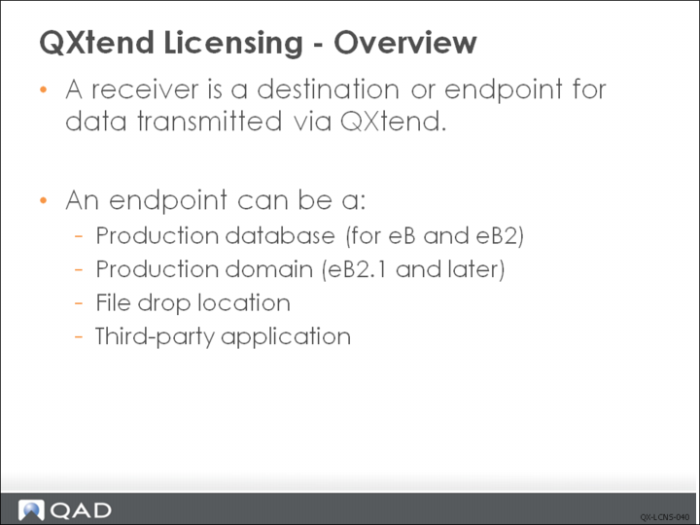
A receiver is a destination or endpoint for data transmitted via QXtend. An endpoint can be any of the following:
• Production database (for eB and eB2)
• Production domain (eB2.1 and later)
• File drop location
• Third-party application
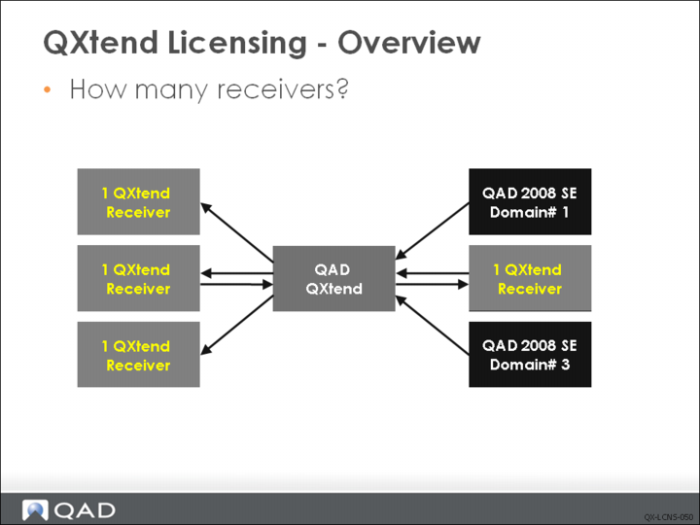
In the above example, there are four receivers.
Agents move data into and out of the system. Agents listen for requests to transmit data, gather the data to transmit, and deliver it to the receiver.
In QXtend Inbound, connection pools are assigned one or more processing threads. When the system processes a QDoc request, it uses an available connection pool agent.
In QXtend Outbound, Message sender sessions are the processing agents. Each agent is licensed, and a limit encoded into the license ensures that the number of agents is not exceeded across the QXtend installation. The number of receivers is not enforced.
When QAD QXtend is first installed, the installation defaults to a QAD & Approved QAD Partner Free Use license. This license enables QAD QXtend to process data synchronization and QAD internal messages - including messages between QXO and QXI - free of charge.
QAD QXtend uses three types of licensing:
• Standard: Standard licensing limits the number of agents and receivers that can be used across QXtend.
• Enterprise: Enterprise licensing allows unlimited receivers and agents.
• Message-based: This licensing type is based on the number of messages processed, where the customer has bought a certain amount of QXtend messages.
• Sender license expiration: It is to control the use of QAD products that rely on QXtend, for example, Excelerator. A sender license can be issued with an expiration date. Then, when the sender license expired, QXtend will no longer process the Qdoc from this sender. An error message will be returned indicating the license has expired.