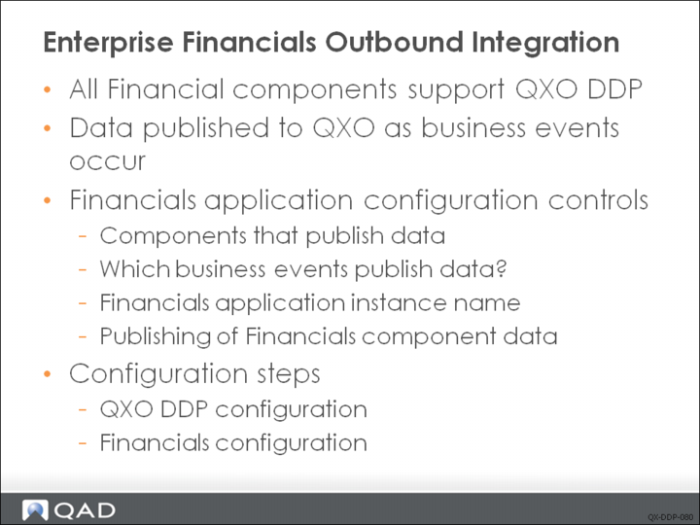
Enterprise Financials Outbound Integration
The introduction of the Enterprise Financials that are part of QAD Enterprise Edition brings with it a new implementation architecture that is built around object-oriented development principles. As part of this development approach, the Financials application consists of business components—for example, Debtor, Creditor, Debtor Invoice, and so on.
The business components each have their own lifecycle and events occur against these business objects. As the business event occurs, all of the data relevant to the current state of the business component is available to be published to applications that are interested in the business event. The ability to publish these business events to interested applications is built into the foundation of QAD EE; any financial component can publish business event data.
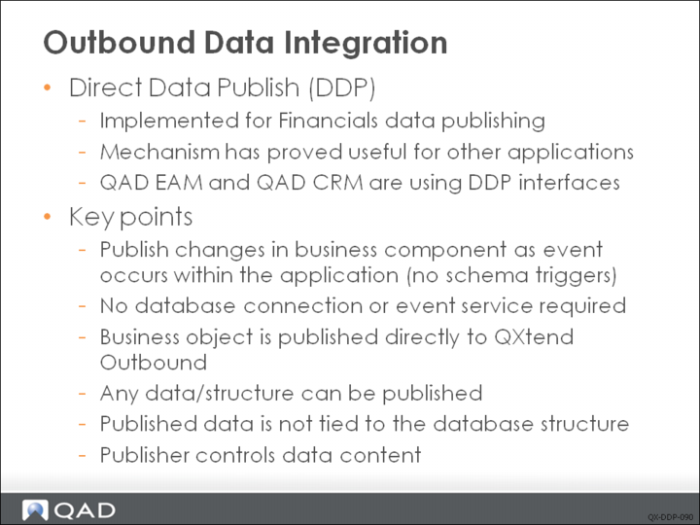
The event publishing mechanism is used to publish data to QXO using DDP. The advantage of this approach is that any data published reflects the state of the component as the event occurred--there is no time lag between the event occurring and the extraction.
You can configure Enterprise Financials to control the data obtained, the business events the data is obtained from, and the location to where data is published.
To publish Enterprise Financials data using QXtend requires you to configure QXtend and Enterprise Financials. The following sections describe the required configuration.
A key requirement of Financials is to be able to synchronize data from one instance of the Financials module to another, or to other external systems. To support this requirement, it is essential to provide an infrastructure that allows data to be published from and loaded into the Financials module. The QXtend framework already provides infrastructure to support data synchronization between QAD Application domains. To ensure that customers have a single integration and synchronization solution, QXtend has been enhanced to support data synchronization for the Financials module.
The Financials module has been engineered differently to other modules in QAD EA. It supports true business object functionality and recognizes state changes of the object throughout its lifecycle. Therefore there is no need to extract data from the Financials database, QXtend only needs to be able to accept the raw business object event data and publish it.
QXtend is the interoperability framework of choice for future QAD projects, and other applications might need to publish data. The design is generic enough to allow other applications to plug in to QXtend in the same manner as the Financials module.
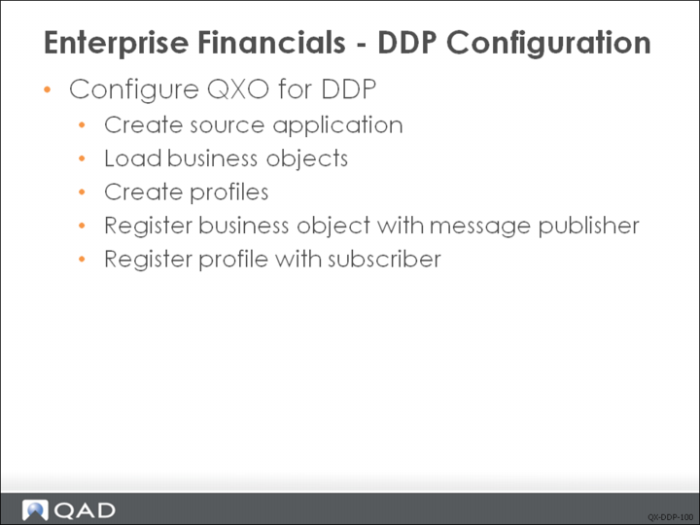
Enterprise Financials - DDP Configuration
Enabling data publishing to QXtend from QAD Enterprise Financials requires setup in both Financials and QXO. The setup for QXO is standard configuration for DDP. To configure QXO for DDP, do the following:
1 Create source application. Ensure that the QADEE type is active, and then use it to create a new source application instance. As we usually do both data extraction and direct data publish for QADEE, so set the source application as a normal one (include database connections). Events must be imported for this source application and corresponding business events need to be activated.
2 Load business objects. The business objects you want to publish from QAD Enterprise Financials must be imported for the QADEE source application type. Use XML Import to load schemas for QADEE.
3 Create profiles. The profiles that define the format of the outbound data from QXO to the subscribers need to be created for each of the business objects being published.
4 Register business object with message publisher. For the messages that get published from the Financials, the business object must be registered with a message publisher instance.
5 Register profile with subscriber. Associate profiles with the relevant subscribers. The subscriber must already be registered with a message sender instance.
Configuring Enterprise Financials for DDP
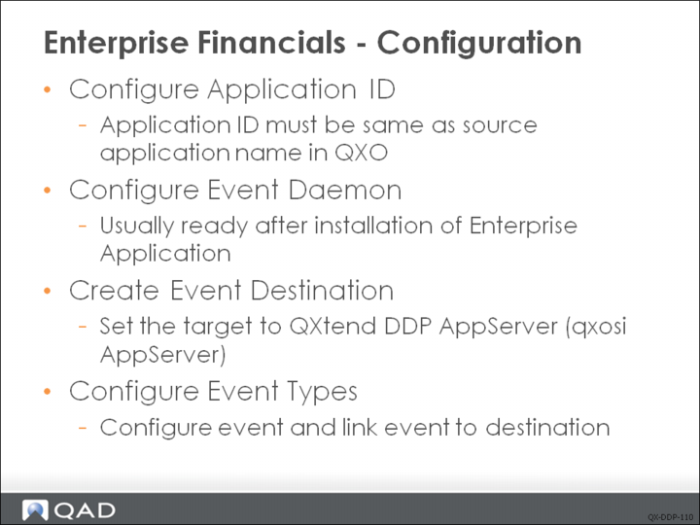
Enabling Enterprise Financials to publish data to QXtend requires the following steps to be performed within Enterprise Financials:
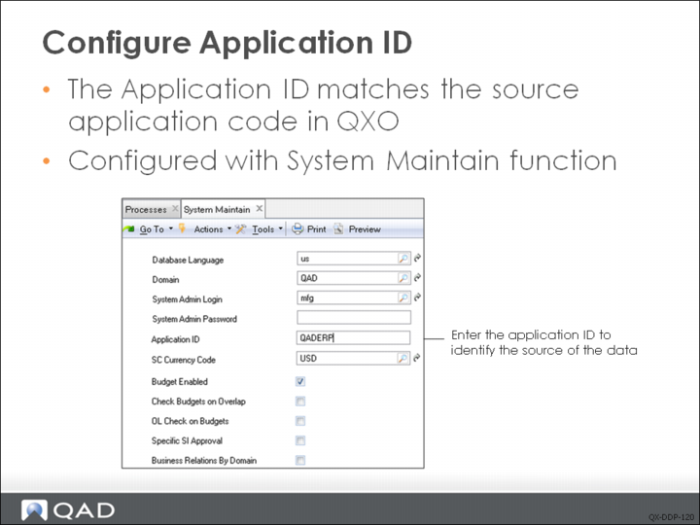
1 Configure application ID. Identifies the Enterprise Financials instance. The application ID must be the same name given to the source application created in QXO.
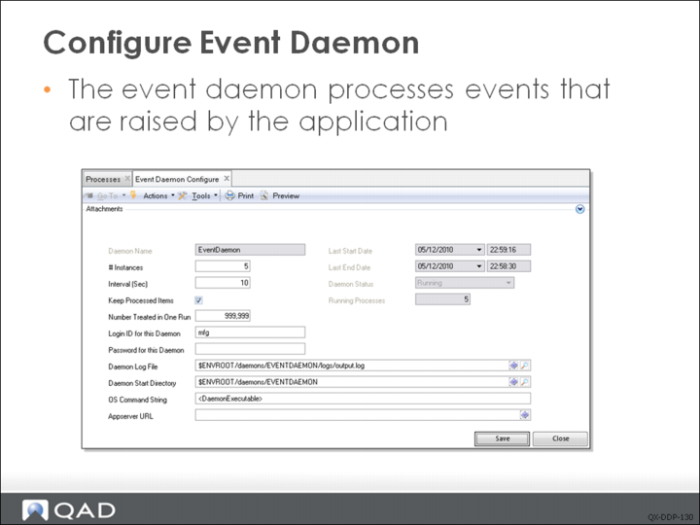
2 Configure event daemon. The event daemon is a background process that runs against the Financials instance and is responsible for publishing data to QXO. For data to be published, an event daemon needs to be configured.
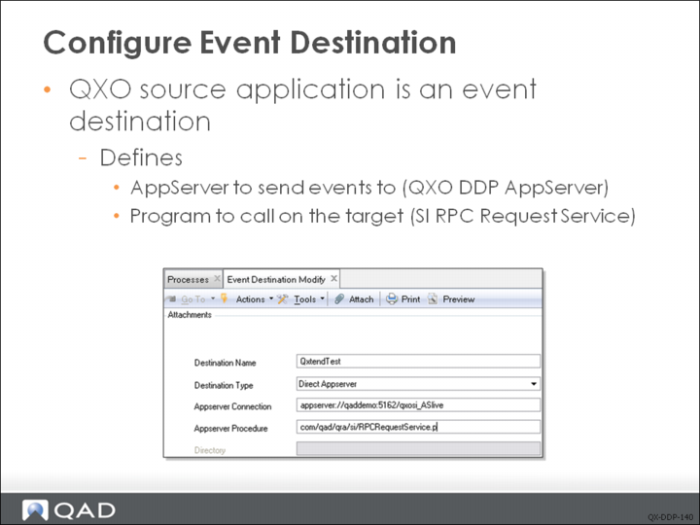
3 Create event destination. Defines the target to which financial data will be sent; for QXtend this is the DDP AppServer configured during QXO configuration.
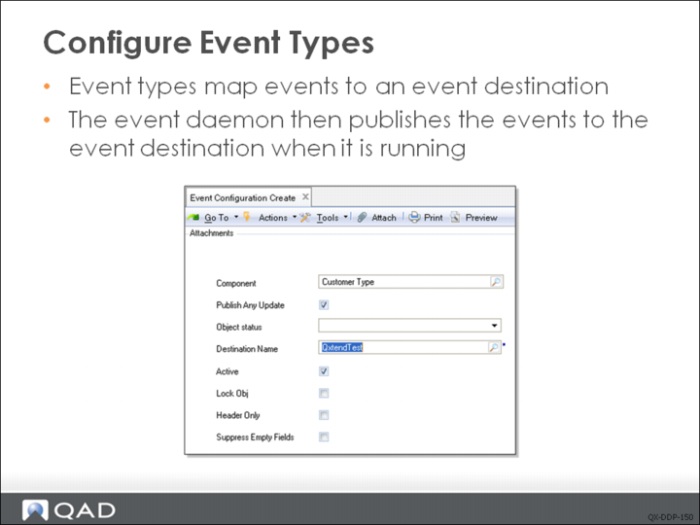
4 Configure event types. These link events raised against the Financials business components to the event destination created in Step . This controls which business events send their data to QXO.
Configuring the Application ID
The System Maintain function allows you to maintain a set of global system settings. One of those settings is the Application ID; this field is included in the message that is published to QXO. QXO uses this value to identify the source of the data, so it must be set to the same value as the name of the corresponding source application in QXO.
Configuring the Event Daemon
For details, see QAD EE documentation.
Configuring the Event Destination
The event daemon created in the previous step processes the business events and delivers them to event destinations. QXO needs to be configured as an event destination. A new event destination needs to be created and the Appserver connection configured to connect to the QXO DDP AppServer in the QXO DDP configuration. Finally, the Appserver procedure needs to be set to com/qad/qra/si/RPCRequestService.p. This configuration will be used as the connection to QXO when publishing data.
Configuring the Event Types
The Event Configuration screen in Financials allows you to create a subscription to a business event within Enterprise Financials. The business component that will raise the event is selected, and the QXtend destination created in the previous step is assigned.
When business events are raised against the component, the event data is published to the QXO destination, which ultimately will publish the data to QXO using QXO DDP.