Configuration Dialog Boxes
Follow these instructions to configure the AppServer by using configuration dialog boxes.
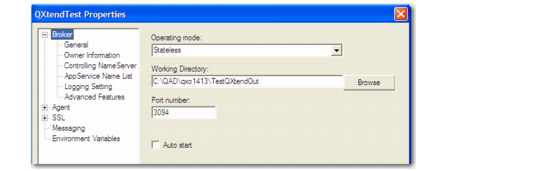
1 In the properties for the Direct Data Publish AppServer, record the path to the working directory for QXtend Outbound.
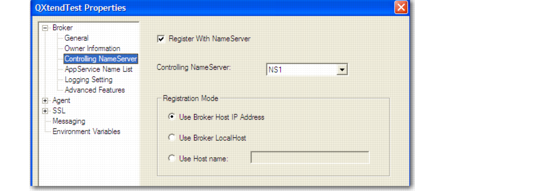
2 Verify the NameServer with which the AppServer registers. This normally defaults to NS1.
Controlling NameServer Properties
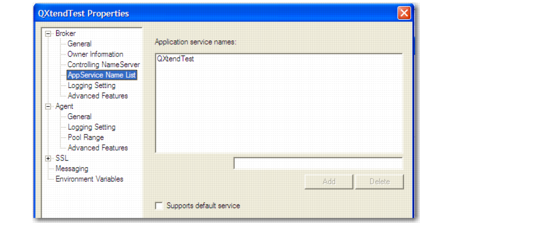
3 Verify the name of the DDP AppServer.
Broker AppService Name List Properties
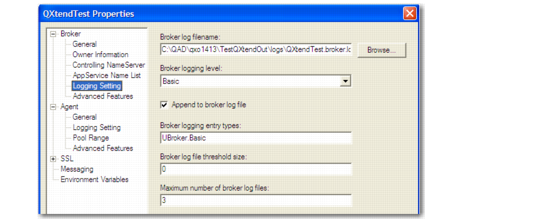
4 In the Broker Logging properties, specify the broker log filename and set the broker logging settings as required. The default settings may be suitable.
Broker Logging Setting Properties
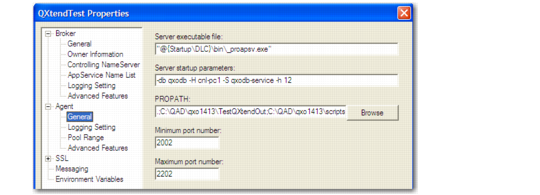
5 In Agent General Properties, define the PROPATH of the DDP AppServer.
Agent General Properties
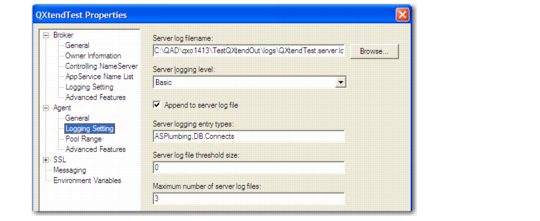
6 In the Agent Logging Setting properties, specify the agent log filename and set the agent logging settings as required. The default settings may be suitable.
Agent Logging Setting Properties
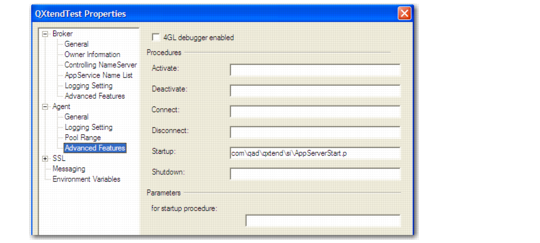
7 In the Agent Advanced Features properties, define the startup program for the DDP AppServer.
Agent Advanced Features Properties