Managing Alert Recipients
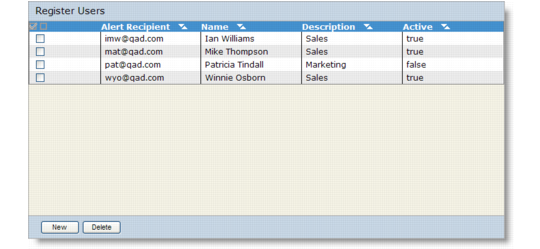
Use the Register Users screen to view the e-mail recipients currently defined in QXO. You also can add or delete recipients using this screen.1 In the QXO Console, click the Configuration tab.
2 Choose Email Alerts|Recipients to view the currently defined recipients.
Register Users
Add an Alert Recipient
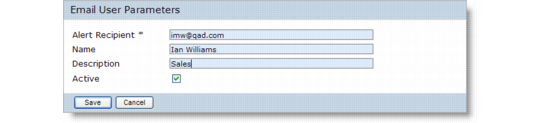
1 Click New on the Register Users screen to display the Email User Parameters screen.
E-mail User Parameters
2 Enter the following values as required.
Alert Recipient
Specify the e-mail address of the alert recipient. This field is required.
Name
Specify the name of the alert recipient.
Description
Enter a brief description as needed.
Active
Select this option to activate the recipient. The recipient will not receive e-mail alerts unless this option is selected.
3 Click Save to save the new recipient.