Archive Guidelines
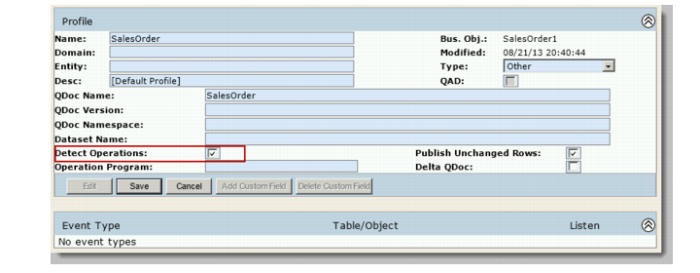
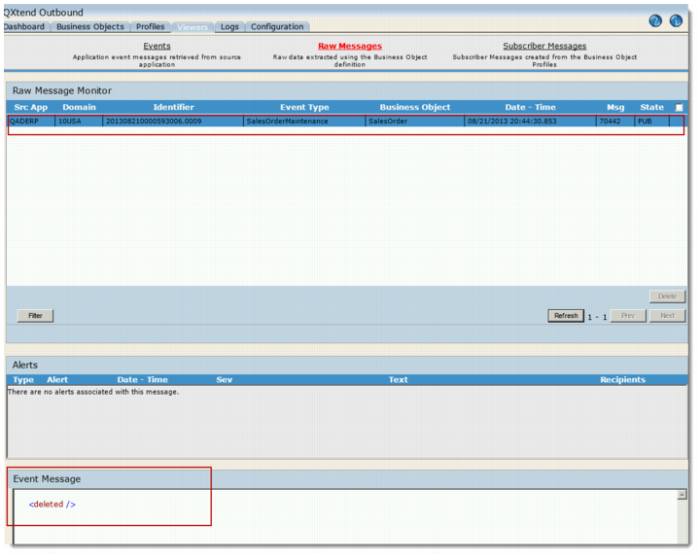
Archiving allows you to constrain the increase in size of the qxodb database to acceptable limits while giving you access to message data should you require it. Typically organizations delete message data once it has been sent, but certain regulatory or legal requirements might necessitate message data to be archived for a certain period of time.All data can be safely archived. QXO will retain the necessary data to ensure correct operations, and delta fields are created for subscriber messages.Logs and alerts typically occupy minimal space in the database. However, your business requirements may require logs to be archived for auditing purposes.Event messages occupy most space in the database as they often have associated child data. Event messages can be archived to provide a record of business object modifications.Typically, you delete subscriber messages because the transactional data will never be modified.After successful archive, the data you archived is deleted from the Viewers. However, if the Detect Operation option is selected for a profile of a business object and the profile message has been sent to the subscriber, you still can see the business object in Raw Messages Viewer. The XML file for the business object is displayed as archived or deleted.
Detect Operation Option for Profile
Raw Messages Viewer - Archived Data with Detect Operation Selected in Profile