Viewing Business Object Subscribers
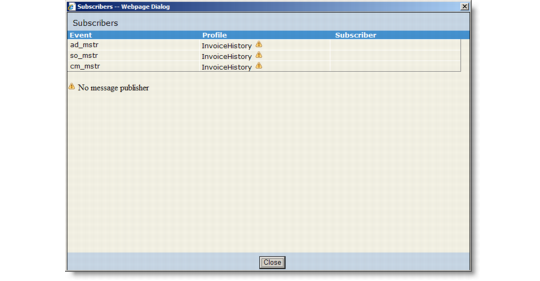
In order to determine more easily which subscribers will receive messages based on a business object—and the events that will trigger messages—you can display a Subscribers report. The Subscribers report lists the following:• Activated event types
• Profiles related to this business object that also have this event type enabled
• Subscribers that receive these profiles based on the event type
Subscribers Report
To display the Subscribers report, display the Business Objects tab, and then click the Subscribers button at the top-right corner of the business object configuration screen.If a profile is not assigned to a message publisher, a warning symbol displays next to it. Similarly, if a subscriber is not assigned to a message sender, a warning symbol displays next to it. A tooltip for the warning symbols indicates the exact reason.A warning icon is displayed next to any event type name that is not registered with any event service.