Subscriber Messages Viewer
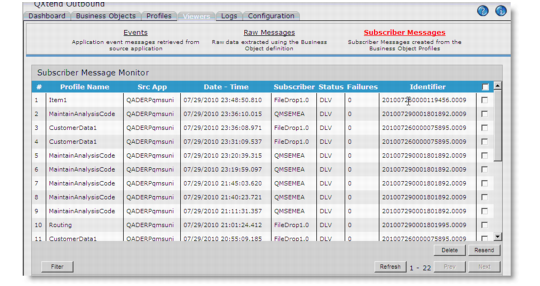
The subscriber messages viewer displays subscriber messages created from business object profiles. Click any subscriber message to view any associated alerts and the raw XML of the request.
Subscriber Messages Viewer
Identifier
The Identifier column uniquely identifies a subscriber message. Identical message identifiers indicate the same subscriber message processed multiple times.
Delete
Use the Delete button to remove a QDoc from the viewer. This also deletes the QDoc record in the qxodb database.
Resend
Use Resend to forward a QDoc to any subscribers that are registered for the QDoc profile. A resend changes the status to PEND. After delivery, the status changes to ERR or DLV depending on the success of the delivery. You cannot resend the QDocs in PEND status.
Scroll down to view the QDoc.
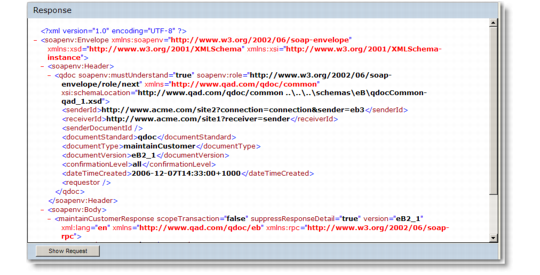
Response
Show Response
Use the Show Response button at the bottom of the viewer to view the response returned from the subscriber. Using this button you can view the response to a QDoc if you cannot access the QXtend Message Monitor in the .NET UI.