Deploying the Query API
You publish the Query Service API for the selected profile to a receiver in QXI by using the Deploy Query button in QXtend Outbound. After establishing a connection to the QXI server, you select a receiver, deploy the API, and then verify the deployment has been successful.1 In QXtend Outbound select the Profiles tab.
2 Select the profile you want from the Profiles node in the application menu.
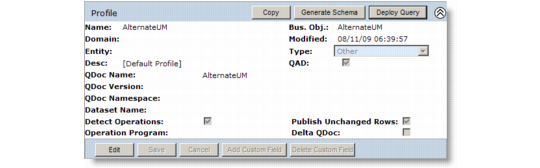
3 Click the Deploy Query button located at the top-right corner of the Profile window.
Deploy Query Button
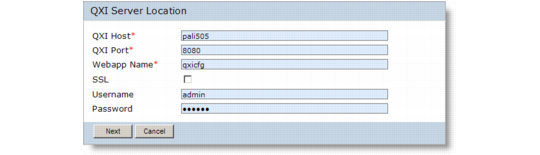
4 The QXI Server Location window displays.
QXI Server Location
1 Provide the host and port information for the QXI server. You also need to specify the Webapp name.
2 If using Secure Socket Protocol https encryption, select the SSL check box.
Note: If SSL is selected, then QXI Host must include domain name of the host.
3 Enter user login credentials and then click Next.
Note: The system assumes the same user login credentials as for QXtend Outbound.
The Receivers screen displays the receivers for the Outbound module in QXI.
4 Select the receiver or receivers to which you want to deploy the query API, and then click Deploy.
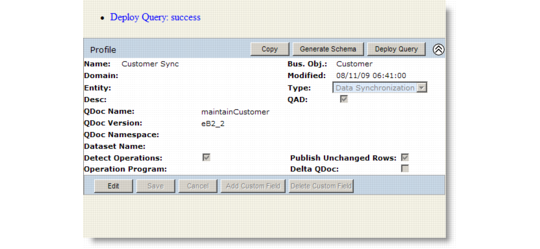
5 You are returned to the Profiles screen. A system message displays the status of the deployment.
Deployment Status Message