Configuration Dialog Boxes
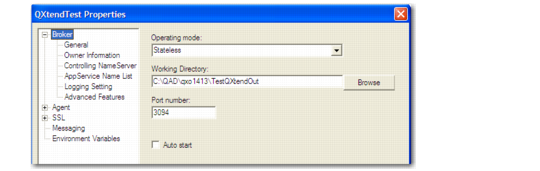
Follow these instructions to configure the AppServer by using configuration dialog boxes.1 In the properties for the Direct Data Publish AppServer, record the path to the working directory for QXtend Outbound.
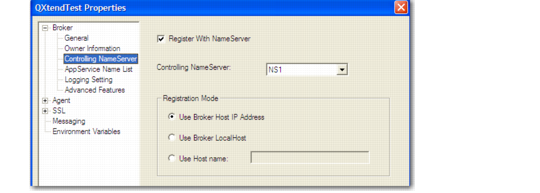
2 Verify the NameServer with which the AppServer registers. This normally defaults to NS1.
Controlling NameServer Properties
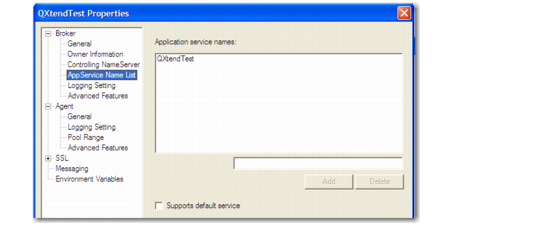
3 Verify the name of the DDP AppServer.
Broker AppService Name List Properties
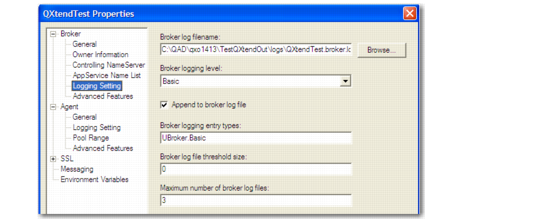
4 In the Broker Logging properties, specify the broker log filename and set the broker logging settings as required. The default settings may be suitable.
Broker Logging Setting Properties
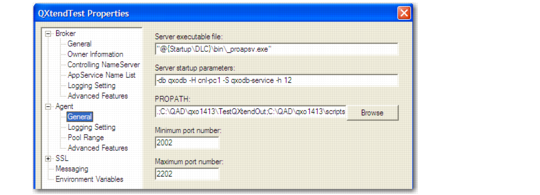
5 In Agent General Properties, define the PROPATH of the DDP AppServer.
Agent General Properties
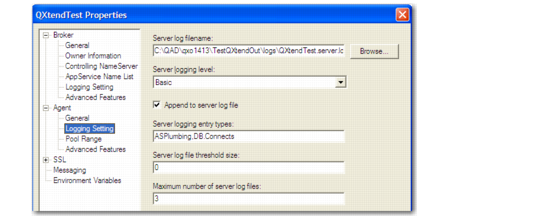
6 In the Agent Logging Setting properties, specify the agent log filename and set the agent logging settings as required. The default settings may be suitable.
Agent Logging Setting Properties
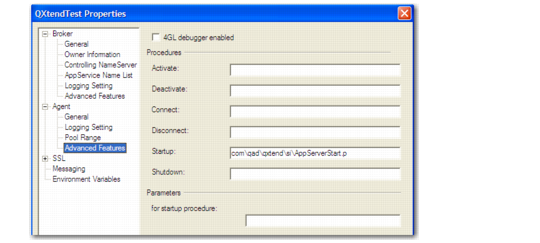
7 In the Agent Advanced Features properties, define the startup program for the DDP AppServer.
Agent Advanced Features Properties