Configuring and Using QXtend Inbound > Starting QXtend Manager
  
Starting QXtend Manager
Before starting the QXtend Manager, start Tomcat and your target QAD Enterprise Applications sessions. Then open a browser and enter the following URL:
http://<hostname>:<tomcat_port>/<QXI webapp>/
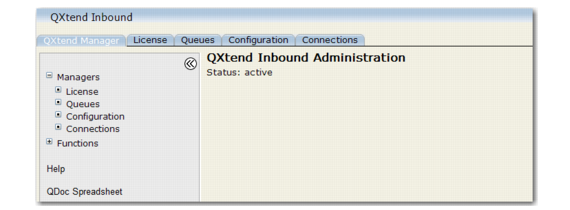
Replace with the machine name where Tomcat is installed. Replace with the Tomcat port number.The QXtend Manager opens.

QXtend Manager
Access the Queue Manager, Configuration Manager, or Connection Pool Manager either in the menu bar or under Managers. You can also refresh the QXtend Manager interface from the menu bar.The QXtend Manager functions are:
Restart Server
This shuts down QXI and restarts it, using the Tomcat restart link.
Install Log
This displays qdocInstall.log. The log is updated each time the QXI Web application is started, stopped, or reloaded. The log is stored in:
TOMCAT_HOME/webapps/<QXI webapp>/WEB-INF/logs
Test Harness
The test harness provides an interface you can use to run through the entire request-response process using sample QDocs.
Suspend
Shuts down the QXtend services to allow an administrative update, such as configuration changes.
Resume
Restores QXI services following administrative changes.