QXtend Inbound Configuration Manager
The QXtend Inbound (QXI) Configuration Manager provides a toolset to manage standard QAD and custom schemas and the QAD Enterprise Applications receivers. IntroductionExplains how to use the Configuration Manager. Inbound ReceiversExplains how to add inbound receivers, add a schema to an existing receiver, remove a schema from an existing receiver, generate WSDLs for a receiver/API, and delete a receiver. QDoc SchemasExplains how to use the Schemas option to maintain multiple events files, view QDocs by QAD Enterprise Applications version, add a schema to the master list, modify a schema configuration, and delete a custom schema configuration. QXI E-mail AlertsExplains how to configure e-mail settings, manage alert recipients, and use alert groups.Introduction
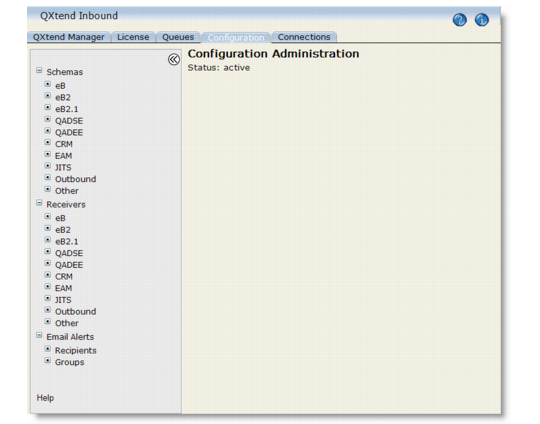
The Configuration Manager provides an interface to manage QDoc schemas, create and modify QAD Enterprise Applications receivers, and allocate QDoc schemas to the receivers.Access the Configuration Manager through the QXtend Manager at:http://<hostname>:<tomcat_port>/<QXI webapp>/
For details about schemas see QDoc Schemas.This assumes Tomcat and the target QAD Enterprise Applications instances are running.The Configuration Manager is launched from the QXI interface and lets you manage your master list of available QDoc schemas and set up and configure your QAD Enterprise Applications receivers.For information on configuration errors, see Configuration Exceptions.
Configuration Manager Interface