Map First Entry Events
A first entry event occurs at a branching point in a program, usually prior to starting an iteration. Typically the field is accessed by pressing F4 from the first field of an iteration.
First Entry Event Field Definition
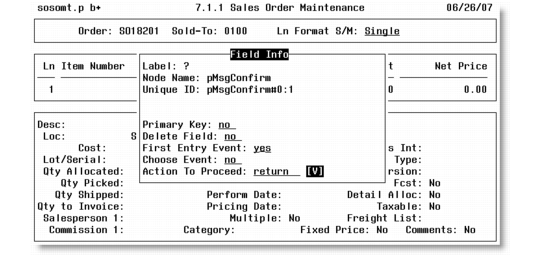
1 When you leave a first entry event field, the Field Info pop-up displays. Enter Yes for First Entry Event and press Go. The First Entry Event Info pop-up displays.
First Entry Event Info Pop-Up
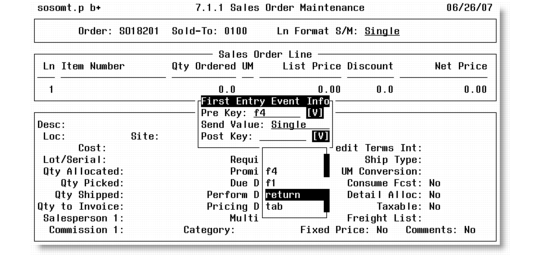
2 Use the down arrow to open the available keystroke information. Press Enter to select a value, then press F4 to close the drop-down menu. Use the following information to enter field data:
Pre Key
By default, the F4 key appears because this is the typical key to access First Entry Event fields. Press the down arrow to open the drop-down list on this field and select a different key to access the First Entry Event field if necessary.
Send Value
Specify the value that must be entered in the First Entry Event field to follow the data entry path you want to use. For example, to set Line Format (S/M) in Sales Order Maintenance to Multi, enter m or multi in Send Value.
Post Key
This is the key required to leave the current field and move to the next field. The default is Return (the Enter key). Press the down arrow to open the drop-down list on this field and select a different key to exit the First Entry Event field if necessary.
3 Press Go to save and exit the pop-up.