Map Comments
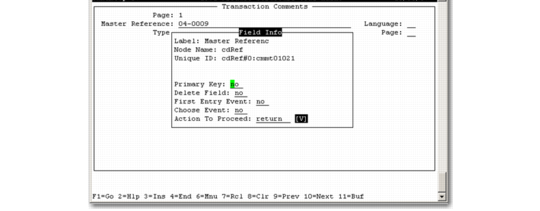
When you enter the Transaction Comments section, use the following process to map the screen:1 Press Enter in the Master Reference field.
Transaction Comments
2 Continue to map the remaining fields.
3 When you are on the first line of the Comments, press F4 to return.
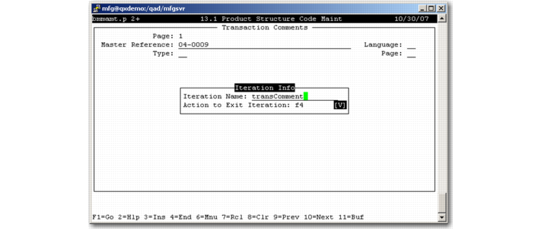
4 Press Enter on the Master Reference field again and QGen will detect this as an iteration.
5 Name the iteration transComment.
Iteration Name
6 Finish the iteration and complete the mapping process.
7 Save, generate, and load the QDoc schema into QXI.
8 Use the Test Harness to create an empty QDoc.
9 Edit the QDoc with data to submit. Ensure to include data in the comments section.
10 Submit the QDoc using the QXtend Test Harness or the queue.