Import Your Business Objects
The next step is to import your business objects and profiles. You can import your business objects one at a time or all of them at the same time. Importing your business objects populates the qxodb database with data.Note: In order to be able to import your business objects and profiles, you must first have created your source application and databases. This procedure assumes that you can connect to those databases.
You use the XML Import screen (QXO Console|Configuration|Utilities|XML Import) to import your business objects.
Import Your Business Objects
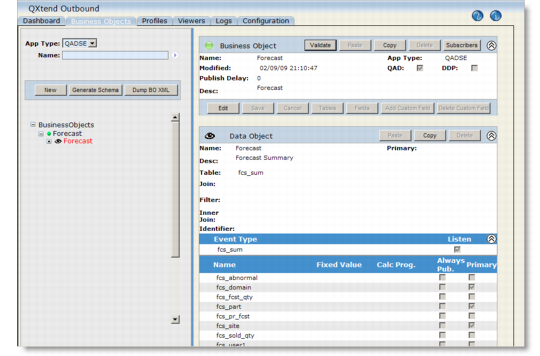
Our scenario uses the Forecast business object and a corresponding profile named MaintainForecast. To import business objects you type the location of your business object in the XML to Load field—for example, QADSE/forecast/*—select the Business Objects and Profiles check boxes, and then click Load.For details see Importing Business Objects and Profiles.You use the Business Object screen (QXO Console|Business Objects) to verify your business objects have been imported successfully into the database. Click the Forecast business object node to view the tables included in the business object and the associated data object.
Forecast Business Object