Setting up Multiple Languages
To work in full multi-language mode, you must:
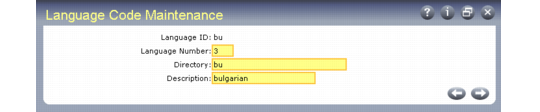
1 Specify the top-level directory for each language’s object code in Language Code Maintenance (36.4.1).
Language Code Maintenance (36.4.1)
This ensures that the system can locate the programs for each language. The programs for each language must be stored in separate subdirectories.
2 Designate the default language and country code for each user in User Maintenance (36.3.1). This ensures that when the user logs on, the system calls the Progress programs for that person’s language. See
Defining Users.
If the language is the same for all users but multiple language comments are required for orders, you only need to define the separate language codes in Language Code Maintenance. A number of codes for supported languages are already defined.