Restoring Archive Files
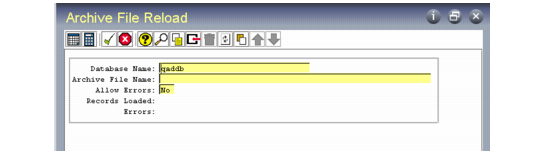
Use Archive File Reload (36.16.5) to reload an archive file after restoring the file from backup media to the system disk.
Archive File Reload (36.16.5)
The reload process puts data from the archive file back into the database exactly as it was when you deleted it. However, if base data has changed, you may encounter errors.
Example: You are reloading accounts receivable history for a customer that has been deleted.
Set Allow Errors to Yes to continue processing when errors occur. The system lists load errors in a .e file located in the directory you ran the process from.
Important: Date and time in the stored data are formatted based on the country code associated with the user who archived the data. If a user with a different date and time format reloads the data, load errors and corrupted data can occur.
To avoid these problems, use the same user settings when archiving and reloading the data. Before loading data, use User Maintenance (36.3.1) to temporarily change your country code to match that of the user who archived the data.