Maintaining Sequences Manually
Maintain sequences manually or through the CIM interface. Maintenance includes:
• Dumping—outputting the current sequence value to a file
• Loading—reading a sequence value from a file
• Updating—manually updating a single sequence
Maintain sequences in Sequence Maintenance (36.16.13). Sequence Maintenance works with Progress Relational Database Management System (RDBMS) only. Oracle dataservers are not currently supported.
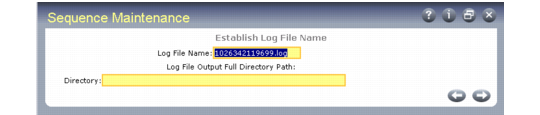
Sequence Maintenance (36.16.13), Establish Log File Name Frame
Log File Name
The name of the error log file.
Directory
The operating system (OS) directory where you want to store the file.
A second Sequence Maintenance screen displays.
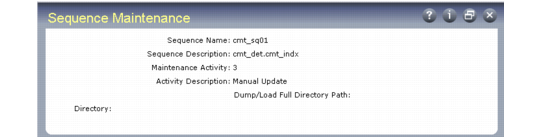
Sequence Maintenance, Sequence Name Frame
Sequence Name
Specify the sequence or set of sequences to be maintained. Leave blank to specify all sequences.
Note: A time stamp is added to the log at the beginning of each session, so session history can accumulate. After a maintenance session, check the log for errors.
Maintenance Activity
Specify the maintenance activity to be applied to the specified sequence sets. Valid values are:
• 1 to dump. Outputs the current sequence value to an OS file.
• 2 to load. Reads the sequence value from the OS file.
• 3 to manually update. This activity can only be performed when a single sequence is specified. When a set of sequences is to be manually updated, the manual update activity is called once for each.
Activity Directory
For a dump or load, specify the OS directory where the sequence files are located. The direction of the data flow is determined by the activity.
Files are named using the name of the sequence with the file extension .d. For example, the sequence tr_sq01 is dumped to a file named tr_sq01.d.
When a manual update is specified, an additional frame appears.
Manual Sequence Update Frame
Original Sequence Value
This field displays the value of the sequence before the user’s update was applied.
Note: Sequence Maintenance generates a report listing current values of all sequences in the database. It can be run at any time and does not impact the content of sequence
structures.
Current Sequence Value
This field displays the current sequence value.
User Input
Enter any sequence value within the valid range. The valid range is determined by the system and is part of the schema. An error displays when the value entered is not within the valid range.