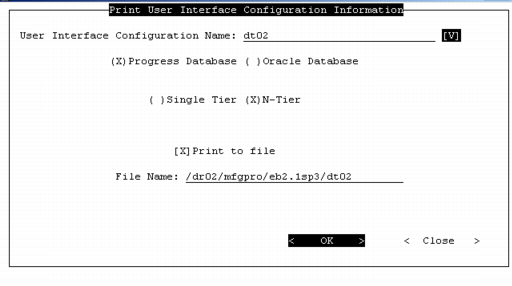
Print Configuration Information
You can use MFG/UTIL to generate a text file containing the complete configuration information, including PROPATH information, directory locations, and port information for your UI configurations. A separate PROPATH is displayed for each of the following:
• QAD UI Build PROPATH
• Telnet Client PROPATH
• Connection Manager PROPATH
• WebSpeed PROPATH
1 In MFG/UTIL, choose UI|Print UI Configuration Information.
2 When the Print UI Configuration screen displays, select your configuration name and choose whether to send the output to a file or printer.
MFG/UTIL Print UI Configuration Information
3 Choose OK. File output is saved by default to QADInstallDir.