Setting Client Power
The power setting on the client machine may cause the CPU to work at a reduced speed, which affects the performance of the QAD .NET UI. To correct this issue:
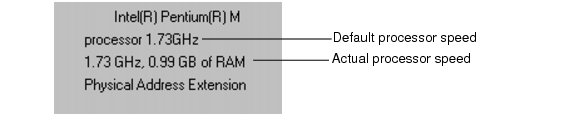
1 Determine your CPU speed. Go to Start|Control Panel|System and view the information on the General tab.
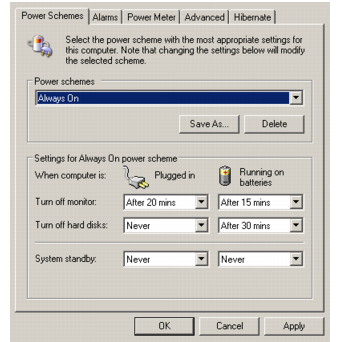
2 If your machine is running below the default speed—the first number is much greater than the second—go to Start|Control Panel|Power Options.
3 In the Power Schemes tab, select Always On in the drop-down list.
Power Schemes Settings
4 Close your Control Panel|System window and then reopen it from the Start menu to refresh the CPU reading.