Failure Exception Error | Description |
ex001 Error with processing XSLT Document | XSLT translation occurs after the XML document retrieved from the server has been successfully parsed. This exception is generated when an error occurs at the point of translation. The likely cause is an invalid change made to the XSL document (currently /xsl/screen.xsl). |
ex002 Error with processing XML Document | The XML document is retrieved from the Progress server and then parsed. This error occurs when parsing of the retrieved document fails. A possible cause of this is an error in the creation of the XML document. Another possible cause is if the server connection fails while retrieving the XML document, so that the complete document is not retrieved. |
ex003 Error writing document to file | When the user is updating configuration settings using the Connection Manager update page, the new settings must be written to file. This exception is generated when an error occurs writing to the file. |
Connection Exception Error | Description |
ex001 Unable to initialize session | This exception occurs when a problem occurs initializing the back-end sessions. Possible causes would be that the maximum number of sessions has been reached, or the back-end databases are not up. There may also be a problem with the log-in script or a step omitted. This can be tested by following the log-in script section of config.xml and ensuring all stages are correct. Another possible issue is that the telnet session is running in normal mode instead of MFGWrapper mode. Ensure that the QAD Standard Edition startup script contains the -param mfgwrapper=true statement. |
ex002 Unable to get working session | Each application running on the client corresponds to a telnet session on the server. Each time a request is made on the client, the server has to link up the client’s request to the server session. This error occurs when the system is unable to find the telnet session. Possible cause is that the telnet session has been shut down, perhaps as a result of an error, or it may have been closed down by Connection Manager. |
ex003 Failure initializing Connection Manager | This error is generated when a problem occurs during initialization of Connection Manager. One responsibility of Connection Manager is to open XML configuration files. This error can occur if there is an invalid configuration file. To see a list of files, look at config-files.xml in the \webapps\qaduiConfig\WEB-INF\config directory. |
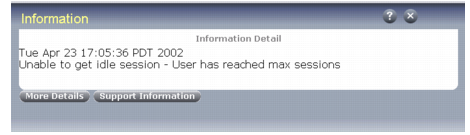
ex004 Unable to get an idle session | When a client requests a new program to be run, an idle session is retrieved from Connection Manager. Possible cause of this exception is that Connection Manager has exceeded its maximum number of connections. It may be possible that Connection Manager is in the process of initializing new sessions but they are unavailable at this time. |
ex005 Unable to get session because pool has been shutdown | This exception occurs when the user is attempting to either create a new application or make a request on an existing one and Connection Manager has been shut down. In this case, all current connections are invalid and Connection Manager has to be restarted. |
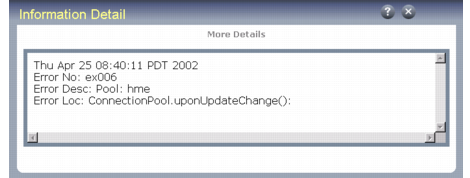
ex006 User has exceeded max session | A user has requested to run another application; however, this user has exceeded the maximum number of allowed connections. |
Process Exception Error | Description |
ex001 Unable to initialize session with program | This error occurs after a dedicated session has been assigned to a client request. The client is attempting to run a new program and the launch of that program fails. This can occur if the user is not properly logged in. |
ex002/ex003 Failure occurred sending message to begin to submit data | This exception occurs when data submission to the server fails. An acknowledgement may fail due to the trigger failing to fire. To find the root cause of this exception, follow the process through a character session and look for any unusual user interface functions such as alert boxes, selection lists, or browses. |
ex004 Failure occurred sending get frame message | This exception occurs when a request for the screen XML times out. This could be due to the trigger not firing (see ex003) or the XML failing to be received by the XMLReceiverServlet. To attempt to debug this further, enable tracing on Progress and ProcessAgent. |
ex005 Failure occurred sending spacebar message | A pause event occurs within the application and the .NET UI system is unable to respond to this event. To attempt to debug this further, enable tracing on Progress and ProcessAgent. |
ex006 Failure occurred parsing xml document | This exception incorporates the occurrence of FailureException (ex002) but will aid to highlight the cause of the exception. |
Adapter Exception Error | Description |
ex001 Parameters not passed correctly | This exception occurs if the servlet is unable to interpret the parameters sent to it from the browser. |
ex002 Unable to create xml document from parameters | The servlet creates an XML document from the parameters it is passed. This exception occurs if a problem occurs parsing the XML document. |
ex003 Connection Manager is unavailable | The servlet requests Connection Manager to provide the back-end session. If Connection Manager has not been launched, then this exception is generated. |
ex004 Error occurred initializing Parameter Manager | The Parameter Manager is responsible for reading and parsing the configuration files used in .NET UI . Under normal circumstances, Connection Manager will be launched prior to launching any new applications and as part of its initialization it will create the Parameter Manager. However, if the connection pool is not initialized, then the servlet will initialize the Parameter Manager. This error occurs if there is an invalid configuration file. To see a list of files opened by the Parameter Manager, look at config-files.xml. |