Enable the Java Console
If you selected Enable Java Console Tracing when you configured your .NET UI system with MFG/UTIL, you must enable the Java console to view the trace output. Follow these steps:
1 From the Windows Start button on the .NET UI client machine, click Start|Control Panel.
2 Double-click the icon for Java.
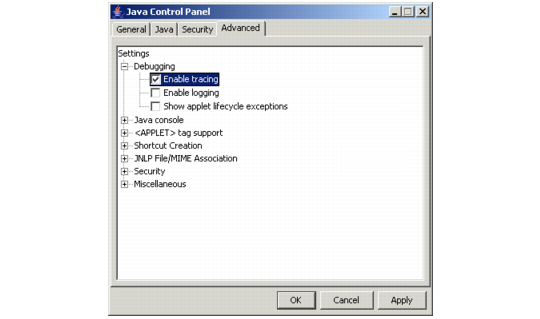
3 When the Java Control Panel displays, click the Advanced tab.
4 Expand the Debugging node and select Enable tracing.
Java Control Panel
5 Click Apply to save your changes.