Dump GUI Database
In MFG/PRO 9.0 and earlier releases, some administrative data was stored in the gui database. This data is currently stored in the admin database and the gui database no longer exists. The following dump extracts the required data from this side database.
Note: If your environment does not use a gui database you can skip this section.
1 From MFG/UTIL, select Database|Dump Data From Database.
2 When the Connect Database screen displays, specify the path and name of your source version gui database in the Physical Name field. Choose OK to continue.
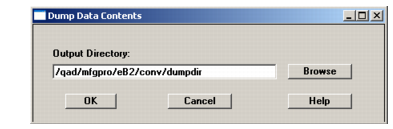
3 Specify the conversion dump directory in the Output Directory field. You can use the Browse button to select this directory.
4 The Table Selection for Dump screen displays with all of the tables in the source version database selected. Accept this default and choose OK to begin dumping data.
5 When the dump completes, press spacebar to continue.