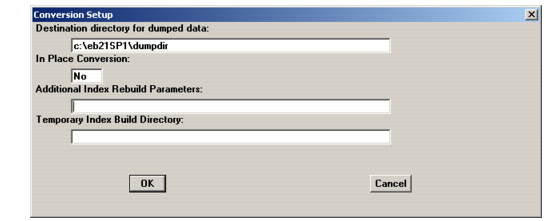
Conversion Setup
1 The Conversion Setup screen displays. Use the screen example and field descriptions below to complete the data.
Conversion Setup
Destination directory for dumped data
Specify the location where you want the source version data files to be dumped during the special dumps.
In Place Conversion
Set this to No.
Additional Index Rebuild Parameters
Check your Progress documentation for possible index rebuild options.
Temporary Index Build Directory
If you set certain index rebuild parameters, a temporary index build directory is required. Refer to your Progress documentation, such as the Progress Database Administration Guide and Reference.
2 Choose OK.
3 The Connect Database screen displays with source as the Logical Database Name.