Connect Target Database
1 The Connect Database screen displays for the target database. Use the screen and field descriptions to complete this dialog.
Connecting the Target Database
Physical Name
Enter the name of your target production or other database; for example, erpprod. This database must have a different name than the source database. Accept all other defaults.
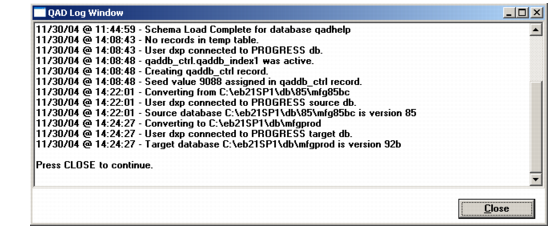
2 Choose OK. The MFG/UTIL Log Window displays. Note that the version of both the source and target databases are displayed. Verify that they are correct.
QAD Log Window after Target Connection.
3 Choose Close.