Load Production Data
In this task, you load the default system data supplied by QAD into each database. You load both language-independent control data and language-specific data such as menus and messages.
1 After the Log Window closes, the Connect Database screen displays for the target database. Choose OK to continue.
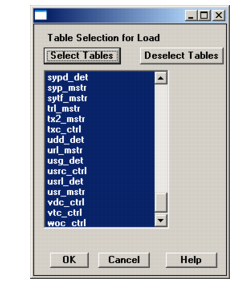
2 The Table Selection for Load screen displays, showing the language-independent data files for tables in the mfg subdirectory. This screen may take a minute or more to load the data file list. By default, all the tables are selected. This is correct. Choose OK to start the load.
Table Selection for Load Screen
3 The Connect Database screen displays for the source database. Choose OK to continue.
4 The Log Window displays your connection status. Choose Close to continue.
5 The Log Window displays the load progress. When the load completes, choose Close to continue.