Running the Conversion
To begin the conversion, follow these steps:
1 (Linux/UNIX only) Log on as mfg.
2 Change directories to TVInstallDir and start MFG/UTIL:
cd TVInstallDir
./mfgutil
In Windows, launch MFG/UTIL from the Start|Programs menu.
3 In MFG/UTIL, select Configure and choose Guided Setup. The Operation Sets screen displays.
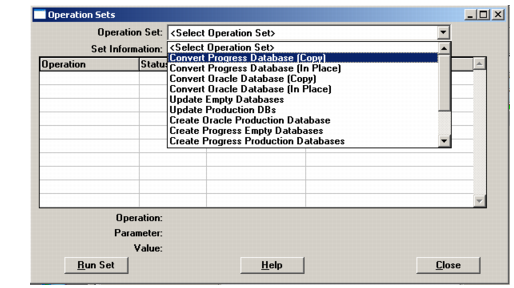
4 Choose Convert Progress Database (In Place) from the Operation Set drop-down.
Conversion Operation Set Selections
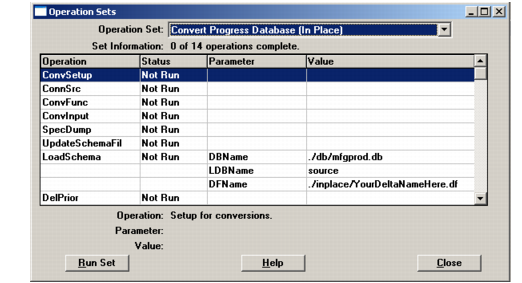
5 The conversion workflow displays.
Convert Progress Database (In-Place) Operation Set
6 Choose Run Set to launch the conversion.