Custom Browse Updates
If you created custom browses for your source database, you can reassign your custom browses to the correct fields and procedures, and reassign them to menu locations, in the following steps. These steps assume you have recorded your custom browse settings from the source database.
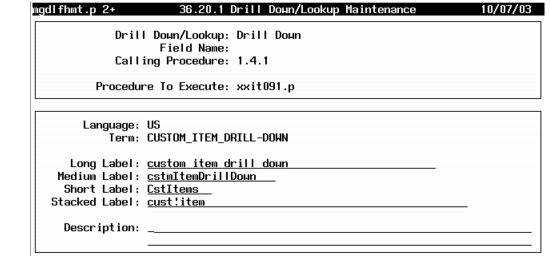
1 Open Drill Down/Lookup Maintenance (36.20.1). For each custom drill-down record that references a browse, follow these steps to reassign the custom browse.
2 Enter the browse type, Drill Down or Lookup. Enter the Field Name and Calling Procedure as necessary and enter the custom browse file name in Procedure to Execute. Press Go.
3 Enter label and description information. Press Go to save.
Drill Down/Lookup Maintenance (36.20.1)
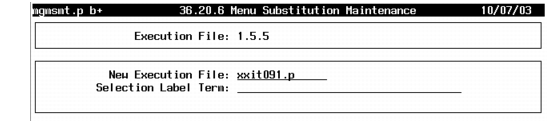
4 If you replaced a browse on the QAD Standard Edition menu with a custom browse, open Menu Substitution Maintenance (36.20.6) and reenter your source version custom menu substitutions.
Menu Substitution Maintenance (36.20.6)
5 Compile each browse program using MFG/UTIL.
a Create a compile list file with a name such as utbrowse.wrk. This should list all the custom browse programs to recompile.
b Launch MFG/UTIL.
c Select Compile Procedures from the Programs menu.
d Complete the dialog box, entering the new compile list file name, utbrowse.wrk, and choose Compile.
For information on compiling with MFG/UTIL, see the installation guide for your database.