Setting Up Control Program Values
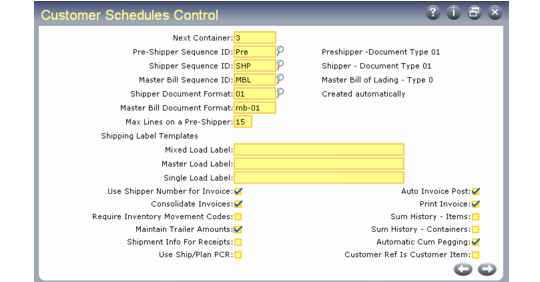
Customer Schedules Control (7.3.24) contains the same fields as Container/Shipper Control (7.9.24). Changing one automatically updates the other.
To ship scheduled orders, you must complete the same setup required for shipping standard sales orders. This includes defining sequence numbers using Number Range Management (NRM) features for pre-shippers, shippers, and bills of lading.
If you are using other shipping features such as shipping groups and inventory movement codes, they must also be defined and the defaults established in the control program.
See User Guide: Distribution for details.
Customer Schedules Control (7.3.24)
The fields in this control program are described in the discussion of shipping.
See User Guide: Distribution for details.