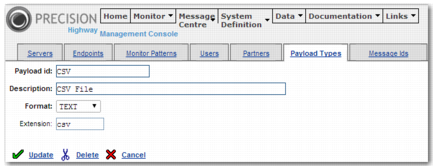
Field | Value |
Payload ID | CSV |
Description | CSV text message |
Format | TEXT |
Extension | cvs |
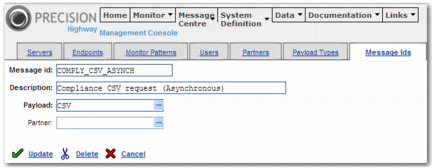
Field | Value |
Message Id | COMPLY_CSV_ASYNCH |
Description | Compliance CSV request (Asynchronous) |
Payload | CSV |
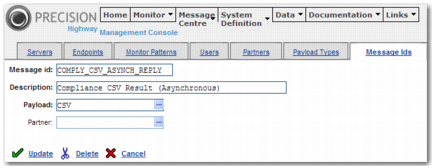
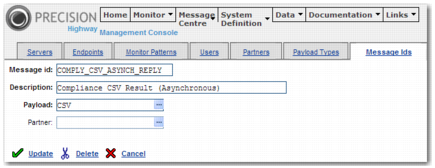
Field | Value |
Message Id | COMPLY_CSV_ASYNCH_REPLY |
Description | Compliance CSV Result (Asynchronous) |
Payload | CSV |
Field | Value |
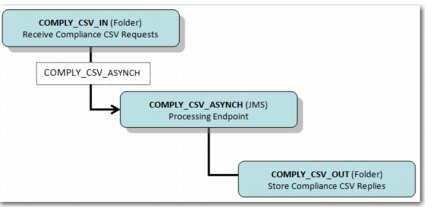
Endpoint ID | COMPLY_CSV_IN |
Description | Receive Compliance CSV Requests (input folder) |
Type | Input (Reader) |
Storage | Folder |
Target name | C:\PRECISION\WebUI\highway\messages\COMPLY_CSV_IN |
Server | FILE |
Default Message Id | COMPLY_CSV_ASYNCH |
Number of readers | 1 |
Field | Value |
Endpoint ID | COMPLY_CSV_OUT |
Description | Store Compliance CSV Replies (input folder) |
Type | Output (Writer) |
Storage | Folder |
Target name | C:\PRECISION\WebUI\highway\messages\COMPLY_CSV_OUT |
Server | FILE |
Field | Value |
Endpoint ID | COMPLY_CSV_ASYNCH |
Description | Process compliance CSV messages (Asynchronous) |
Type | Output (Writer) |
Storage | JMS Queue |
Target name | OUT3 |
Server | JBOSSMQ |
Program | a2a.ComplianceCsvHandler |
Return message endpoint | COMPLY_CSV_OUT |
Field | Value |
Message ID | COMPLY_CSV_ASYNCH |
Sequence | 10 |
Description | Move Compliance CSV requests for processing |
Write Endpoint | COMPLY_CSV_ASYNCH |