Upload Data Scrub File
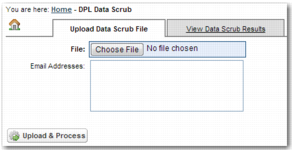
To upload the CSV file containing names and addresses, on the left menu, choose Trade Compliance|Batch DPL Data Scrub; the Upload Data Scrub File page displays.
Batch DPL Data Scrub: Upload Data Scrub File
To perform a data scrub, complete the following steps:
1 Click Choose File and select the CSV file containing the names and addresses that you want to check against the DPL list.
2 In the Email Addresses field, enter an address to send the data scrub results to. Enter multiple e-mail addresses in a comma-separated list.
3 To upload the CSV file and run the data scrub, click Upload & Process.
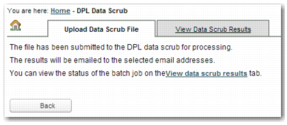
Batch DPL Data Scrub: File Submitted Screen