Web UI 4.8
User Experience Enhancements
Address Task
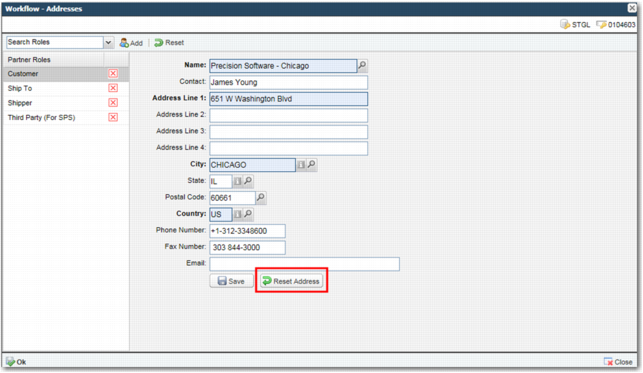
There is now a Reset Address button in the Address task in Workflow. This button allows the user to reset the address to the address entered on the partner record.
Address Task
Local Printing
The Web UI now supports the ability to print server-generated ZPL documents to local client side label printers. The local printers do not have to be visible to the server.
An applet receives the ZPL from the server and directs it to a local printer.
Manifest Task
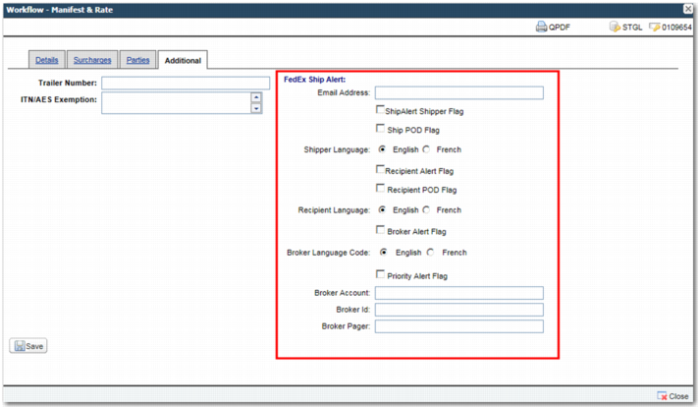
The Custom tab on the Manifest task is renamed to Additional. This tab now includes carrier-specific fields that show only when FedEx, DHL or UPS services are assigned to the shipment.
• UPS services: Paperless Invoice field.
• DHL services: Neutral Delivery Service field.
• FedEx services: Ship Alert fields.
Manifest Task with FedEx Fields
Also, a description now displays next to the carrier field on the Details tab.
Maintenance Man
A number of options and sub-options now include maintenance man functionality.
Options with Maintenance Man Functionality
Option | Description |
ZS | Shipment Types |
PT | Payment Terms |
PY | Pack Types |
CH | Charge/revenues |
PL | Places |
NO | Notes |
CL | Client |
LN | Packing Location |
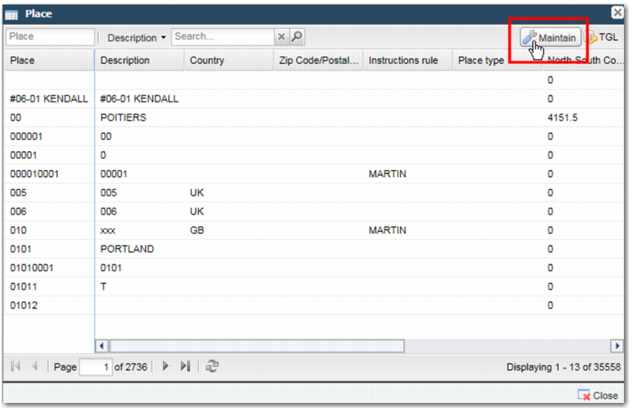
A Maintain link displays in the selection list pop-up window for these options. Click Maintain to access a page that allows you to maintain the master data associated with these options.
Note: The Maintain link only displays if you have permission to maintain data using the applicable option. Support for additional options will be added in subsequent releases.
Place Selection Pop-up Window, Maintain Link
Master Maintenance
The maintenance pages for a number of options and sub-options now use an Ext JS layout.
Options with an Ext JS Layout on the Maintenance Page
Option | Description |
ZS | Shipment Types |
PT | Payment Terms |
PY | Pack Types |
CH | Charge/revenues |
PL | Places |
NO | Notes |
CL | Client |
LN | Packing Location |
Sub-options with an Ext JS Layout on the Maintenance Page
Sub-options | Description |
CHCD | Charge/delivery cross reference |
PCK | Compliance - Whitelist |
PLIP | Inter-place distances |
PLPL | Place Location |
PLPZ | Place Type |
CLCD | Client/document associations |
MLS Support
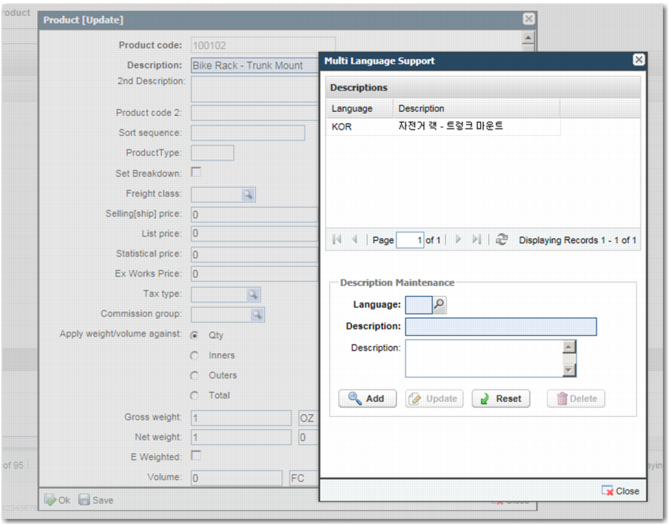
General maintenance pages now support the ability to enter multi-language support (MLS) data. When a field has data entered, select F8 to view the Multi Language Support pop-up window.
Multi-Language Support
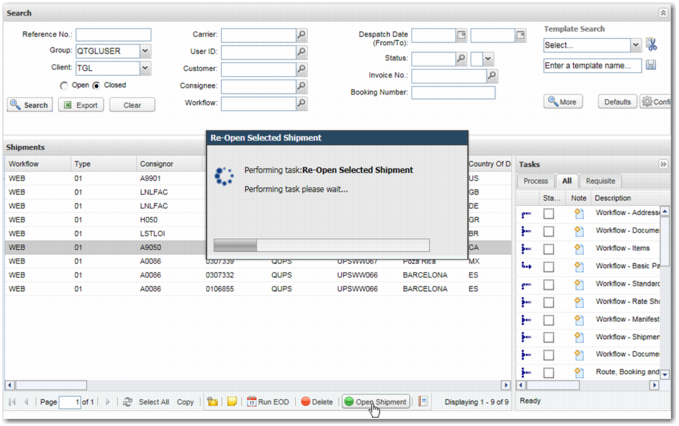
Reopen Shipments
You can configure a new option, OPENSH, to allow users to reopen closed shipments from the Workflow toolbar.
Reopen Shipment Option
Route, References and Containers Task
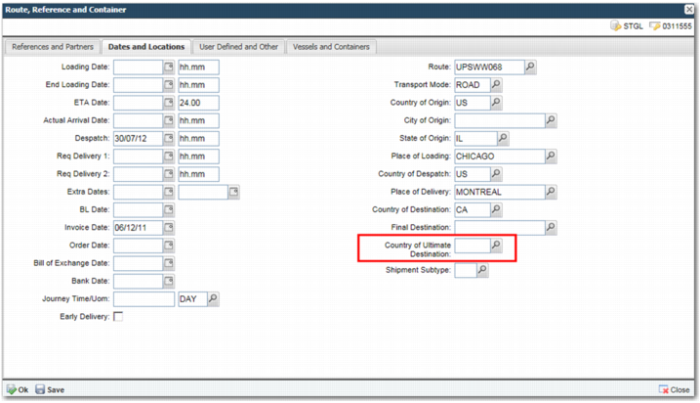
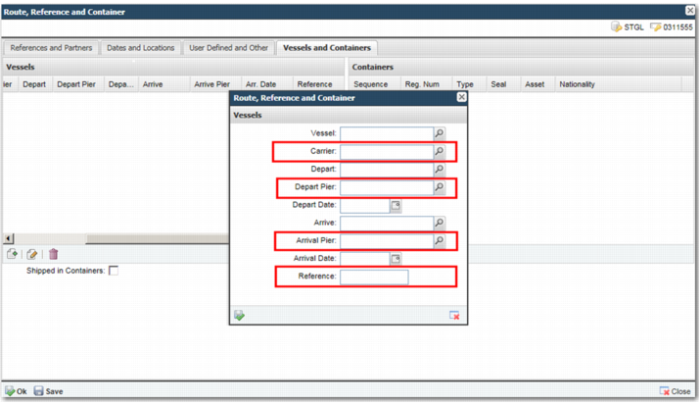
There are new fields on the Route, References and Containers task.
The Dates and Locations tab now contains the Country of Ultimate Destination field.
Route, References and Containers Task, Dates and Locations Tab
The Vessels pop-up window on the Vessels and Containers tab now contains Carrier, Depart Pier, Arrival Pier, and Reference tabs.
Route, References and Containers Task, Vessels and Containers Tab
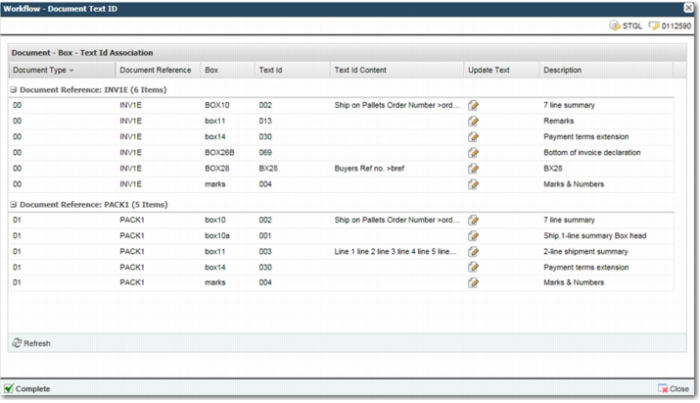
Text Id
Text Id Task
You can use the new task, Text Id (WFTDTI), to maintain texts associated with each document on a shipment. The grid listing can be grouped by document, box or text id.
Text Id Task
Other User Experience Enhancements
• By default, when a workflow task is launched, the pop-up window now uses as much screen space as possible given the resolution.
• Maintenance list panels load automatically with records, rather than showing an empty grid until the user performs an initial search.
• It is possible to save the grid layout used on maintenance list panels pages.
• A Korean language pack is available for the Web UI.
• The Ship To and Postal/Zip Code fields on the Create Manual Shipment screen are no longer mandatory.