How QAD reduces shipping cost
Shipment Cost Summary Dashboard
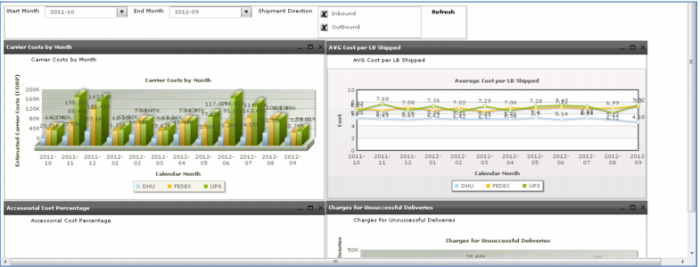
Along with monitoring on-time performance, you also need to monitor cost – usually a significant portion of your cost of sales. Reductions in shipping cost, without sacrificing customer service, usually will yield significant results in increasing profit margins.
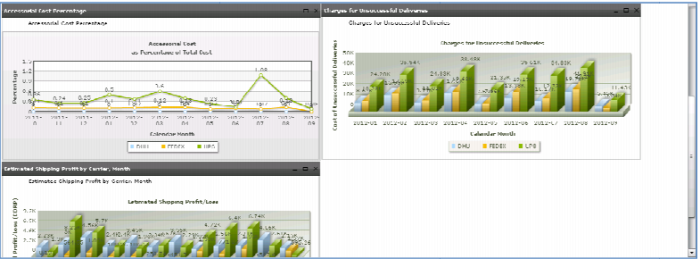
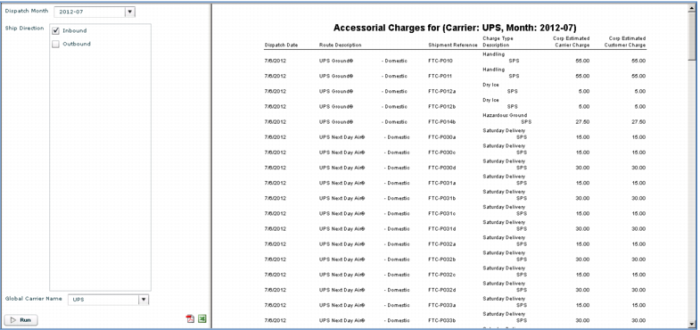
Not only can you monitor how much you are spending each month with each of your carriers and your average cost per pound shipped, you can also track “accessorial” costs for things like overnight or Saturday deliveries, dry ice, fuel surcharges, signature confirmations and other special handling.
Use this dashboard to help determine how effective your shipping operations are. What are your average shipping costs? What services are you using? What percentage of your spend is for accessorial items?
A review of this information will often point out shipping habits that are not cost-effective. For example, choosing overnight delivery when 3-day ground would do, or selecting unnecessary services.
Demo
1. Click Business Intelligence System tab
2. Select Dashboard > QAD Standard > Transportation Management > Shipment Cost Summary
3. Scroll down
4. In Accessorial Cost as Percentage of Total Cost, click 2012-07 UPS
Key Points
• Shipping costs
o Per carrier
o Average cost per pound shipped
• Extra charge for “Accessorial” items
o Next day delivery
o Signature required
o Saturday delivery
o Special handling
o Fuel surcharges