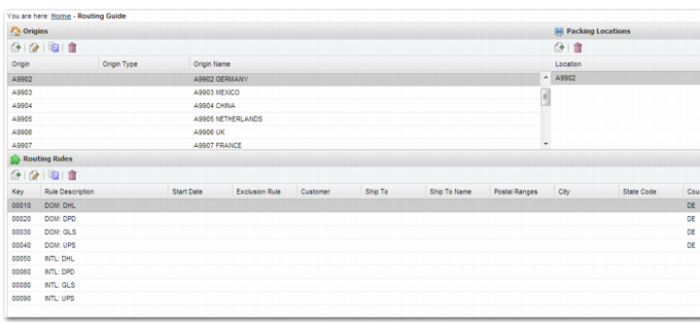
Routing Guide Main Screen
To open the Routing Guide, use the option FRROUT.
The screen is divided into three areas:
• The Origins area enables you to create, edit, copy, or delete an origin.
• The Packing Locations area displays the Packing Locations at the selected origin. You can create or delete Packing Locations.
• The Routing Guide Rules area displays the Routing Guide rules associated with the selected origin. You can create, edit, copy or delete a Routing Guide rule for the associated origin.