Category | Key | Description |
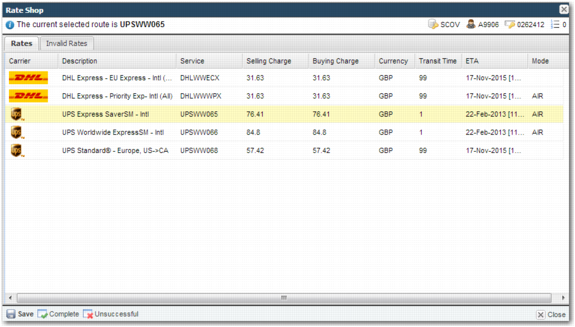
ITRAX | RATE SHOP SHOW BASE COSTS | Determines the charge columns that appear on the screen. Assigning a value of CUSTOMER causes the Buying Charge column to appear. The Buying Charge is the amount that the shipper pays the carrier for shipping the item. Assigning a value of COMPANY causes the Selling Charge column to appear. The Selling Charge is the amount that the shipper charges the buyer for shipping the item. Assigning a value of BOTH causes the Buying column and the Selling column to appear. Possible values: COMPANY, CUSTOMER, BOTH Default value: COMPANY |
ITRAX | RATE SHOP TASK - DEFAULT SORT | This system value controls how the results are sorted. Possible values: COST, MODE, LEADTIME, SERVICE, BUYING_COST, CARRIER_AND_COST. By default, results are sorted based on buying cost. If buying costs are not displayed, then the results are sorted based on selling cost. |