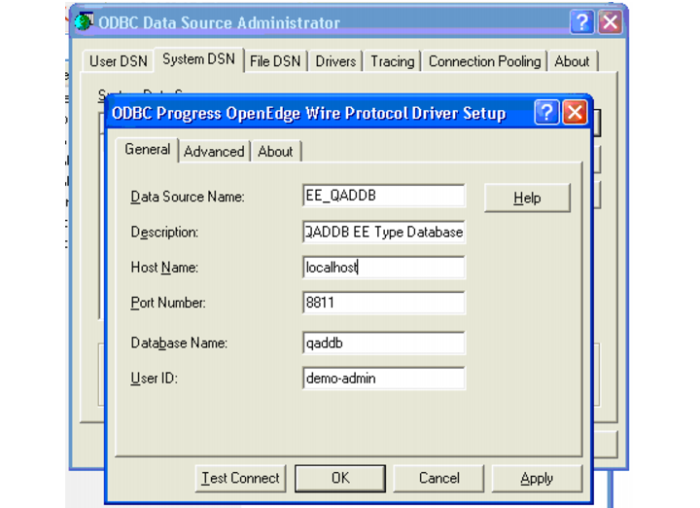
Progress ODBC Connection Setup
Follow these steps if you need to create ODBC DSNs outside of the GUI Installer:
1 If the Progress ODBC connects exist, go to steps
d through
f to test the connection and confirm that the Default Isolation Level is set to READ UNCOMMITTED on the Advanced tab of the DSN configuration.
In the ODBC Administrator:
a Click the System DSN tab and click Add.
Create ODBC Progress
b Pick the driver type Progress OpenEdge 10.1B driver. Click Finish.
c Input the values provided to establish the connection to the Progress database.
Create ODBC Progress
d Click Test Connect.
e Enter the Progress database password and click OK.
f Click the Advanced tab and set the Default Isolation Level to READ UNCOMMITTED.
2 If the client requires it, set up any additional ODBC connections to outside data sources. This step can be done later if that information is not yet available.