Installing Excel Workbooks
Some of the standard dashboards for some analytical models include Excel workbooks that connect to an Analysis Services system for ad-hoc analysis. Create a Web application directory, <tomcat home>/webapps/<application name>/published. Extract the file <module_name>_adhoc_excel_files.zip into that directory. The standard dashboards reference these files.
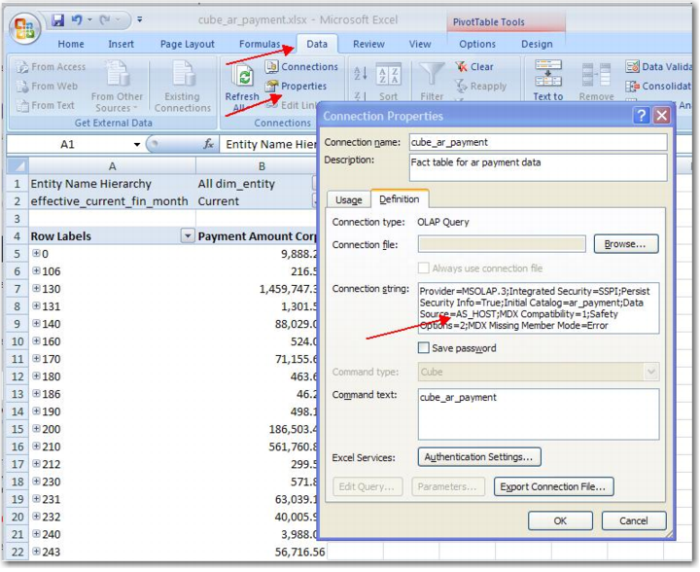
Each workbook uses a data source connection to the Analysis Services system. Because the connections used are embedded in the worksheets, modify them to connect to the local Analysis Services host. To do this modification, open the workbook in Excel 2007, press Data, then Properties. On the Connection Properties tab, select Definition and change the text that says DataSource=AS_HOST to give the name of your Analysis Services host machine.
Full documentation on this process is included in the following document from Microsoft:
http://office.microsoft.com/en-us/excel/HP101672991033.aspx
Excel Workbooks