Create (Recreate) the Table
9 With all the changes in place, it is time to re-create the table.
Warning Do not use Create (Recreate) for Dim, Fact, or Datastore/Perm tables unless you are sure that they are empty. For dim, fact and perm tables, you may need to do a Validate/Modify process instead. See
Modify Table for an explanation of the Modify table process.
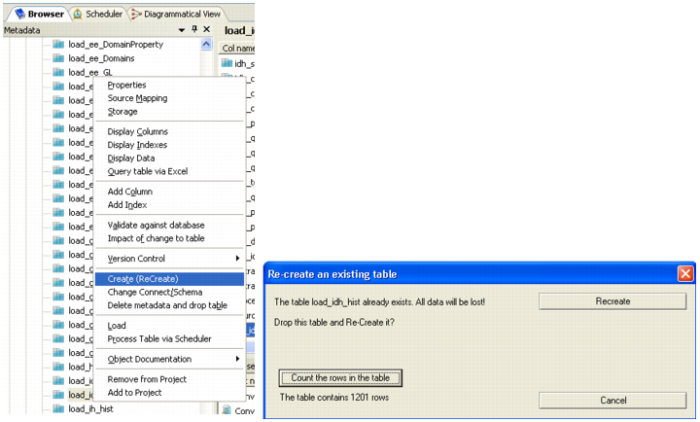
10 In the Browser Pane, right-click on the table name, and click the Create (Recreate) option.
11 When the window comes up, do a quick check of the number of records in the table you are about to drop by clicking the Count rows in table button. If ready to move ahead, click Recreate.
12 A confirmation that the table re-created correctly appears in the results pane.