Halt query after max. rows returned
If this field is set to 'Y' (yes) then the query is aborted after the maximum number of rows have been returned. A line is placed in the result set to indicate that the query was aborted.
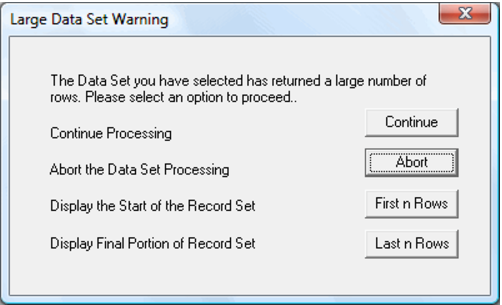
If this field is set to 'N' (no) then a dialog appears after the maximum number of rows have been returned. This dialog requests an action from the user. An example of the dialog appears below.
The default action is to abort the query. In such a case a warning is placed in the row following the data set to indicate that the query was aborted. The Continue button will retrieve the entire result set.
Warning: The data returned from a database query is loaded into the memory of the PC. Returning large data sets may take a large amount of time, and may fail due to memory limitations. Returning more than 1000 rows is not recommended.
The choice provided in this option can be changed by selecting the Sql/Auto Quit on Max Rows menu option. This menu option is a toggle and a tick will appear next to the menu option when the auto quit (Halt) is enabled. The default is to provide the pop-up menu where no profile is being used (i.e. no Auto Quit).