User Menu Options
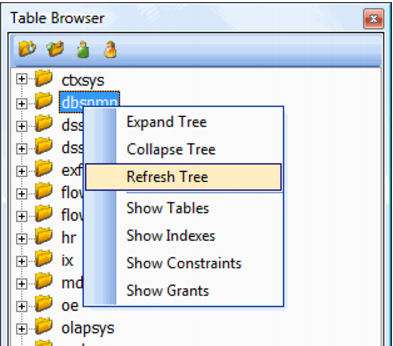
When positioned over a user in the tree structure and the right mouse is pressed the following menu will appear.
The 'Expand Tree' and 'Collapse Tree' menu options expand or collapse the particular node that is selected. The 'Refresh Tree' menu option refreshes the entire table tree.
The various 'Show' menu options will display in the results pane information pertaining to the selected user. The 'Show Tables' option will list all the tables owned by the user. The 'Show Indexes' will list all the indexes that are owned by the user and the tables to which they are connected. The 'Show Constraints' option will show all constraints owned by the user. Likewise the 'Show Grants' will show all grants that have been established by the selected user.