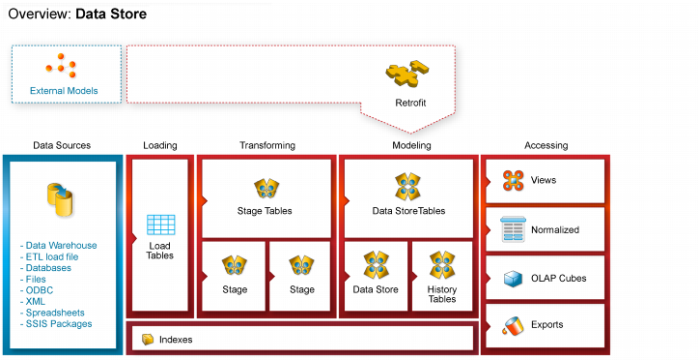
Data Store Object Overview
A Data Store Object is a data warehouse object used to store any type of data for later processing. In QAD Data Warehouse Designer, Data Store objects have many of the code generating attributes of stage, dimension and fact tables. Data Store objects can be thought of as a source system for the data warehouse. Alternatively, they may be reported off directly by users and reporting tools. Data Store Objects can be considered either reference or transactional in nature.
A Data Store Object is built from the Data Warehouse connection. Unless you are retrofitting an existing system, Data Store Objects are typically built from one or more load or stage tables. The Data Store model may be retrofitted from an enterprise modeling tool. See
Importing a Data Model (on page
962) for more details.
The usual steps for creating a Data Store model are defined below and are covered in this chapter. The steps are:
Identify the source reference or transactional data that will constitute the Data Store Object. If the data is sourced from multiple tables ascertain if a join between the source tables is possible, or if one or more intermediate stage (work) tables would be a better option.
Using the 'drag and drop' functionality drag the load or stage table that is the primary source of information for the Data Store Object into a Data Store target. See
Building a Data Store Object (on page
365).
If there's only one source table and all of the columns from it are being used, you can select the auto create option to build and load the table. This automatically completes the next four steps. See
Building a Data Store Object (on page
365).
Add columns from other load and/or stage tables if required. See
Building a Data Store Object (on page
365).
Create the Data Store Object in the database. See
Building a Data Store Object (on page
365).
Build the update procedure. See
Generating the Data Store Update Procedure (on page
370).
Run the update procedure and analyze the results.
If necessary, modify the update procedure or create a custom procedure.