Convert to a partitioned fact table.
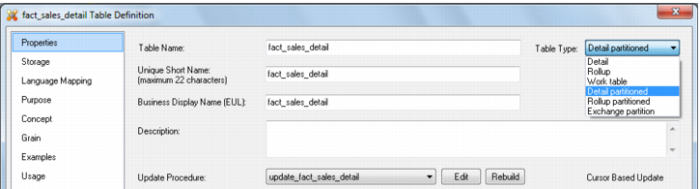
Edit the properties of the fact table to be converted and change the table type to either 'Detail partitioned'. See example below.
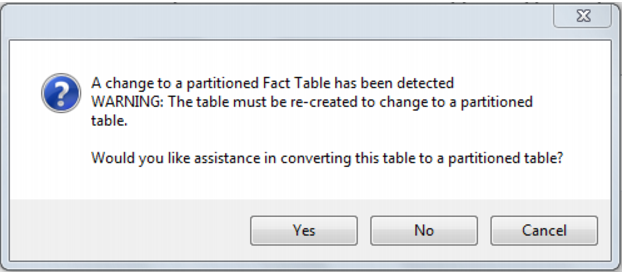
A dialog will pop-up as follows, asking for confirmation that the table is to be converted to a partitioned fact table. If 'yes' is chosen then the existing fact table will be dropped and any current data will be lost.
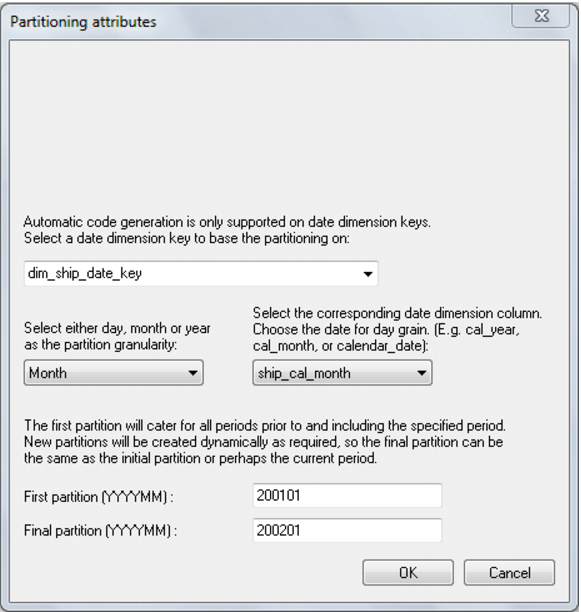
The parameters for the partitioned fact table are then prompted for:
The fact table will be partitioned by the date dimension key. You need to specify the date dimension key that will be used as the basis for the partitioning of the fact table. It is assumed that this key has the standard QAD format of YYYYMMDD.
A partition granularity of day, month or year must then be selected along with the corresponding column in the date dimension. For a daily partition a column with a date data type must be chosen. The date dimension key will actually be used for the partitioning but the date column is required. For a monthly partition a column with the format YYYYMM must be chosen. In the standard QAD date dimension this is the column cal_month. For a yearly partition a column with the format YYYY must be chosen. In the standard QAD date dimension this is the column cal_year.
The first and last partition should then be selected. The last partition is not that important as additional partitions will be created as required. Normally just select a partition a few on from the first. The first partition is however important as any data that is dated prior to the first partition will be loaded into this first partition. The partition must be entered in the format shown. For example monthly partitions require the format YYYYMM.
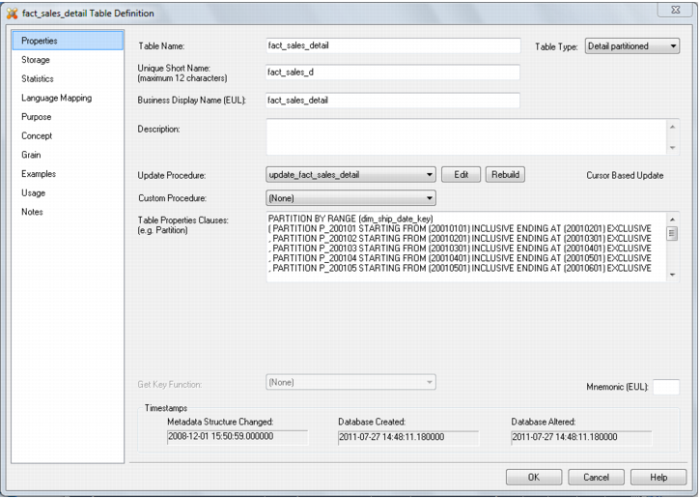
Once the OK button is clicked the conversion process will populate the 'table properties clauses' field of the tables properties. Note that this field is limited in size, so if too many partitions are chosen only the first few will be added to this field. The other partitions will be created dynamically by the update procedure.
Click the OK button on the table properties dialog to begin the process of converting the fact table to be partitioned. This drops and re-creates the fact table in DB2. The new update procedure is also generated and compiled. Examine the results screen to see what has been done.