Example of Building a Transformation Model
To build a model TO_DATE, converting a trimmed string in YYYYMMDD format to a date, do the following:
Click on the Model tab
Expand Functions heading
Expand the Conversion heading
Double click on To Date (TO_DATE)
Expand the String heading
Double click on Right Trim (RTRIM)
Highlight format and type YYYYMMDD
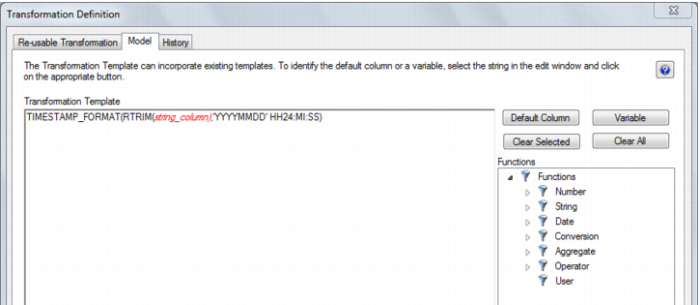
You should see the following:
Now click OK.
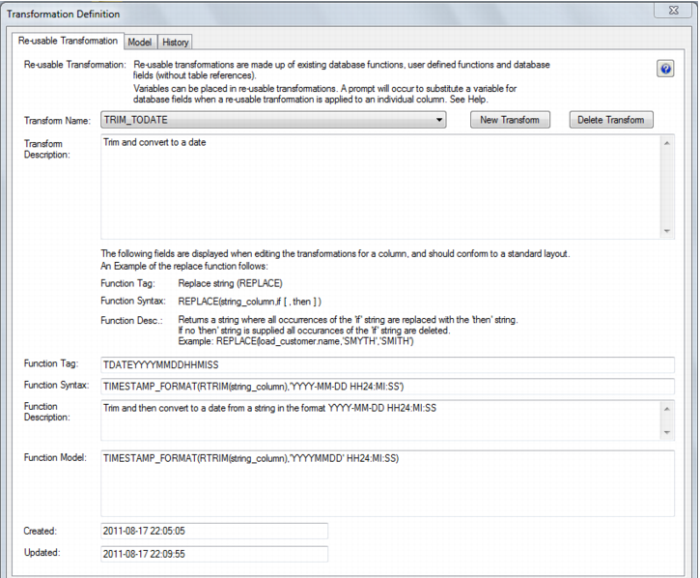
Completed Re-usable Transformation
Changing a Re-usable Transformation
To change a re-usable transformation:
Select Re-Usable transformations from the Tools menu
Choose the transformation from the Transform Name drop down list
Click on the Model Tab
Change the SQL as required
Click OK