Removing the metadata for a table
It is possible to delete the metadata for a table without deleting the table itself. For example if the integrate process is incorrectly undertaken, the metadata for the specific table can be removed. To delete the metadata only: First select the table and using the right mouse menu select 'Delete'. A dialog box will ask if you wish to delete the object and drop the table. Answer NO. A second dialog box will now appear asking if just the metadata is to be deleted. Answer Yes to this question and only the metadata will be removed.
Integrating, Host Scripts
Existing host scripts (either UNIX or Windows) can be brought into the QAD Data Warehouse Designer metadata. To incorporate an existing script the process is as follows:
1 Create a 'Host Script' object using QAD Data Warehouse Designer. In the left pane click on a project or the All Objects project and using the right mouse menu select New Object. The new object dialog box will appear. From the Object Type drop down select Host Script and enter a name for the new script.
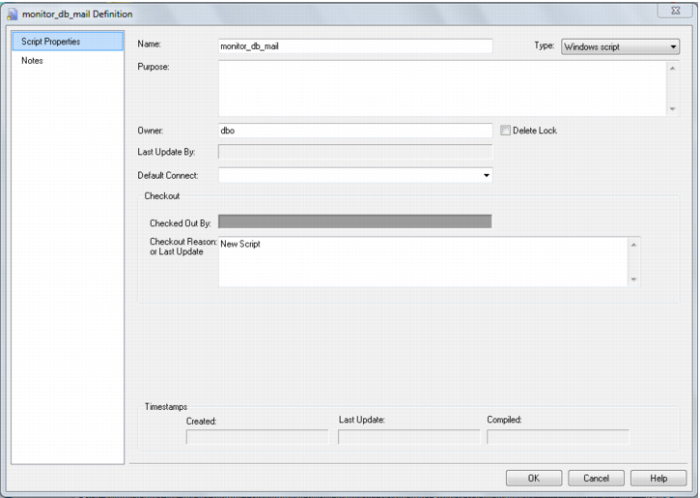
2 The following properties dialog will appear. Select the script type; either UNIX or Windows script. Select the appropriate connection from the 'Default Connect' drop down. Fill in the purpose field to define the role of the script and then click Update to store the changes.
3 Select the new script in the Host Script object group and using the right mouse menu edit the new script by selecting 'Edit the script', or double click on the script name.
4 Within the script editor, either paste the script or if it is available on the PC, select the 'File/Insert from file' option and load the file.
5 The script will need to be modified to handle the standards required by the scheduler. See
Loading via a host script (see "
Host Script Loads" on page
269) for more details.
Integrating, Selecting a Table Type
When integrating existing tables there may not be a clear decision as to which table type to use. As a guideline the following groupings can be considered.
Temporary tables:
Load tables
Stage tables
Permanent tables:
Dimension tables
Fact tables
Aggregate tables
Although these table groups have very distinct names in terms of data warehousing, they do not impose any restrictions on the types of tables they contain. The table groupings are most relevant in the automatic generation of procedures, and in the sequencing for the scheduler.
Typically a mapping table may be stored in the Dimension table group.
Integrating, Questions
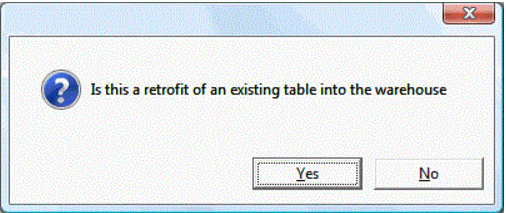
When a table within the data warehouse schema, that is unknown to QAD Data Warehouse Designer, is dropped onto a table target the following dialog appears.
If this is an integrate then click Yes to proceed with the integrate process. The standard 'New Object' dialog will appear and it would be advisable to leave the name of the object unchanged so that it matches the existing table.
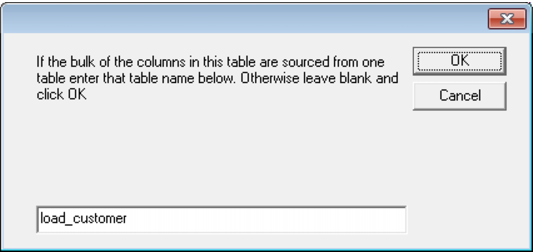
A dialog will ask if the bulk of the columns in this table are derived from another table. If they are enter the table from which these columns derive at this stage. The purpose of this dialog is simply to set the 'source table' field against each of the columns for the table.