How QAD improves salesperson efficiency
Schedule Follow-Up
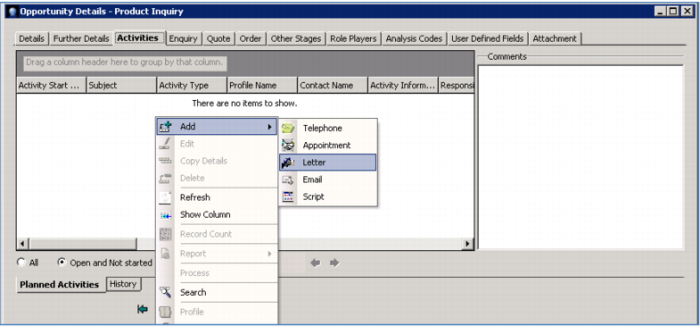
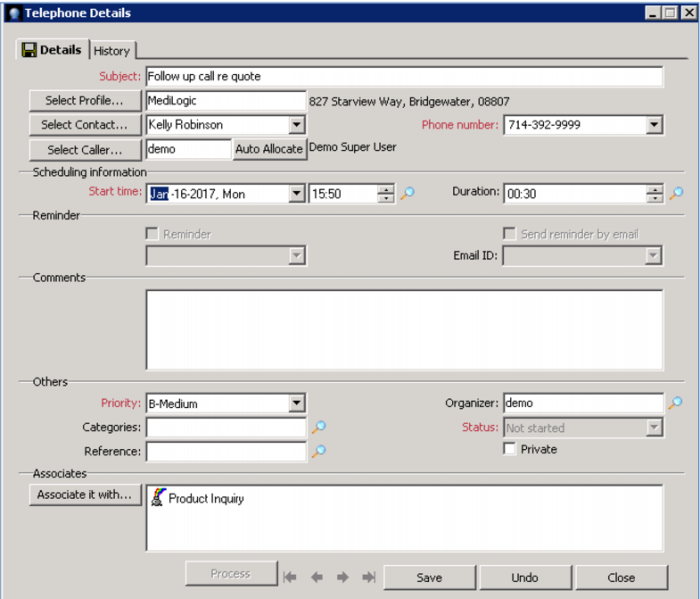
You also want to be sure to make a follow up call, so you can an activity into your calendar right now – flagging you to make a follow up phone call tomorrow. Note how it automatically gets associated with the initial opportunity.
When the follow up date comes, you can make the call; trigger an email or letter; and schedule a follow-on meeting – all recorded as activities for this contact and visible in their history. There’s a full audit trail.
Whenever you reach out to this contact, you have all the information at your fingertips – ensuring you can provide great customer service and build trust – without spending hours gathering information to prepare for a call. Instead, you will put all your effort into making the sale!
Demo
Key Points
• Easily schedule follow up activities
• Ensures timely response
• Tied to contact and opportunity
• Complete audit trail
• Great customer response