Add a Profile
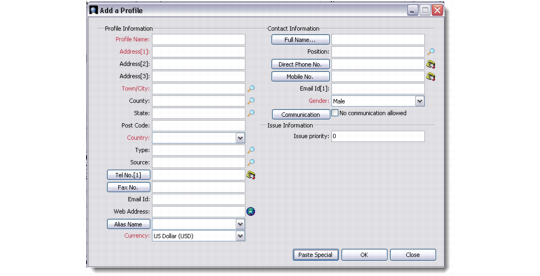
There are two methods to add a profile: Quick Profile and Detailed Profile. If you select Quick Profile from the Add a Profile list box, the Add Profile screen displays.
Quick Profile
This screen lets you add basic information for a new profile you create. You can later add detailed information for the same profile through the Profiles module.