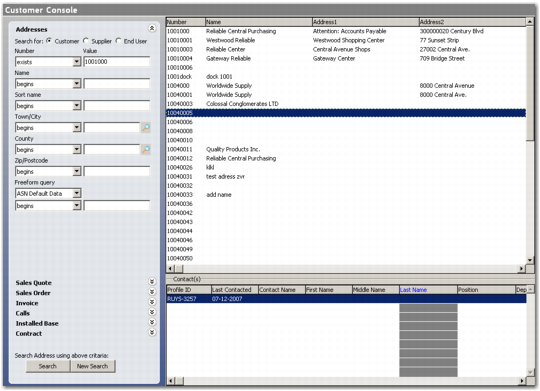
Search Criteria | Action |
Addresses | Select the appropriate radio button depending on the address type you want to search for—customer, supplier, or end user. Enter criteria in any or all of the listed fields that include number, name, sort name, town/city, county, zip/post code, and freeform query. |
Sales Quote | You can search for a customer record by giving sales quote details such as quote value or quote date. |
Sales Order | You can search for a customer record by giving sales order details such as order value, order date, purchase order, or quote details. |
Invoice | You can search for a customer record by giving invoice details such as invoice value, invoice date, or invoice purchase order details. |
Issues | You can search for a customer record by giving issue details such as issue ID, issue serial, item number, end user, or end user name. |
Installed Base | You can search for a customer record by giving installed base details such as end user value, end user name, item number, or serial number of the product. |
Contract | You can search for a customer record by giving contract value details. |