Copying Campaigns and Templates
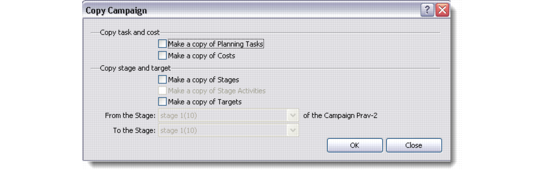
You can base new campaigns on existing campaigns and templates through the Copy option. To copy an existing campaign or template, select the record you want to copy from the Campaigns screen, right-click in the browser area and choose Copy. The Copy Campaign window displays.
Campaign Processing
Select the check boxes representing the things you want to copy from the existing campaign or template. You can copy tasks, cost, stages, stage activities, and targets. Save the record with a new name.
Note: Though templates can have associated targets, you cannot copy targets if you are copying a campaign template. To copy targets you must make sure you copy an existing campaign.