Group
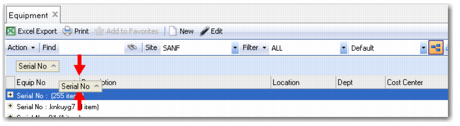
The Group icon looks like a flowchart and is located in the Toolbar.
Group
1 Click Group.
2 Drag the column header to group records. For example, a planner groups the records by Equipment number, then by Priority.
Click Group or drag the columns back into place to ungroup.
Grouping Records