QAD Enterprise Asset Management 2017.1
>
User Guide
>
General Module
>
Employees
Employees
Creating an Employee Record
Follow these steps to create an employee record:
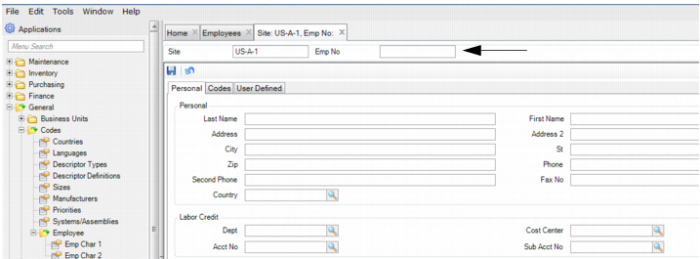
1 Open the Employees browse located in the General module and click New. A blank employee record opens.
2 Enter the employee number in the Emp No field.
Enter Employee Number
4 Once all the information has been entered, click Save.